
-
Find a caregiver and send a request
Pick a caregiver from the list available in your area, set the scope and time for the visit, and send a request. The caregiver must confirm it first — there is no pay button before confirmation.A request the caregiver doesn't respond to within a short default window (about 90 minutes counted from when you sent it — sooner if the visit itself starts within that window) expires automatically. Once the caregiver's confirmed a booking but you leave it unpaid, it auto-cancels after 24 hours.
-
Chat before the booking is confirmed
Chat with the caregiver opens right away once you send a request, so you can work out the details before the booking is confirmed. Until the booking is confirmed and paid, the server automatically hides phone numbers, email addresses and the exact address in messages — no matter what either of you types. You'll see the caregiver's full surname once they confirm the booking; their phone number and the exact visit address unlock only once you pay. -
Check the price breakdown once confirmed
Once the caregiver confirms, you'll see the price breakdown: the caregiver's own base rate plus Opieko's commission, added on top — you pay the rate plus the commission, and the caregiver receives exactly what they listed in their price list. The full commission model is on the pricing page.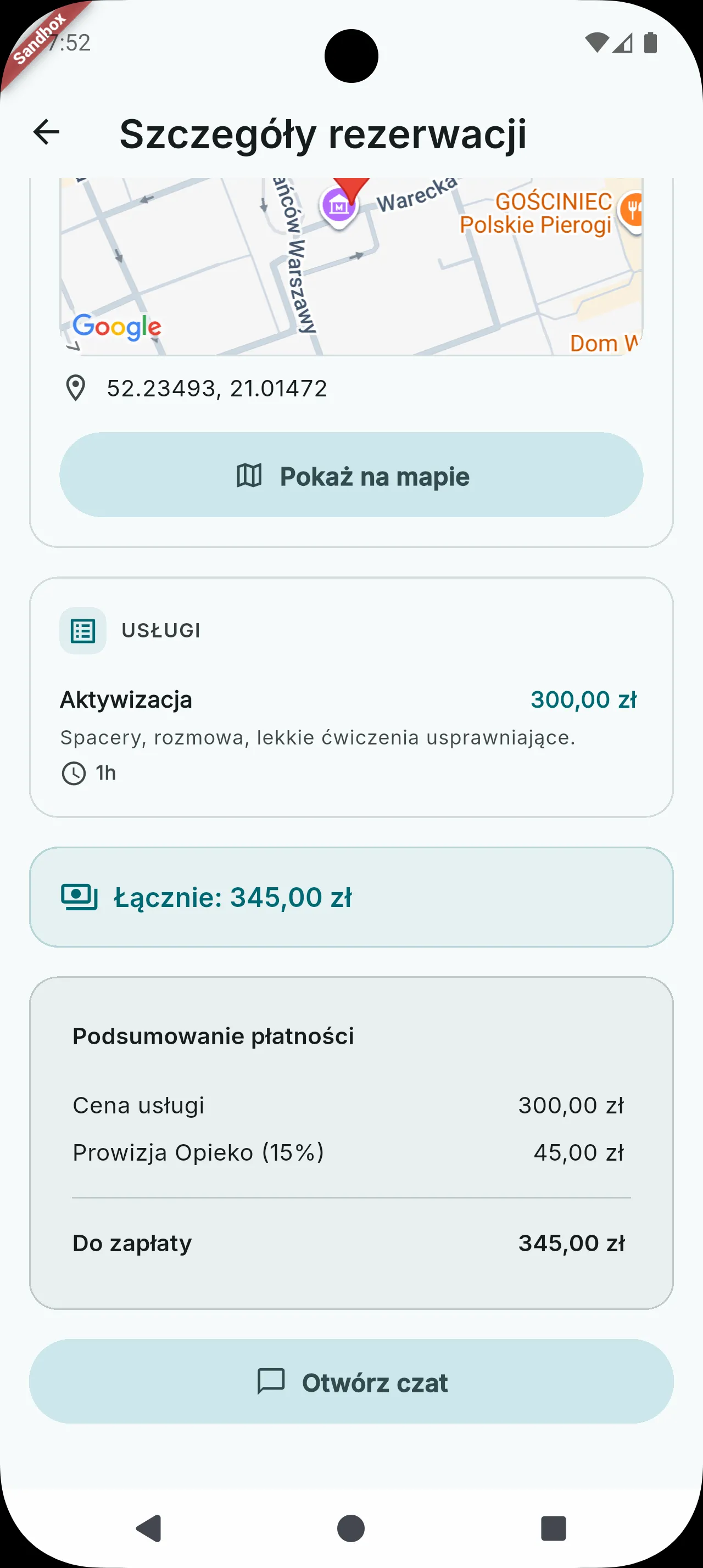
The price is itemized line by line before you proceed to pay. -
Pay through Tpay
Payment happens in Tpay's secure panel, outside the Opieko app — choose BLIK, card, or bank transfer and pay the amount shown. Once the payment is confirmed, the caregiver's phone number and the exact visit address unlock in chat.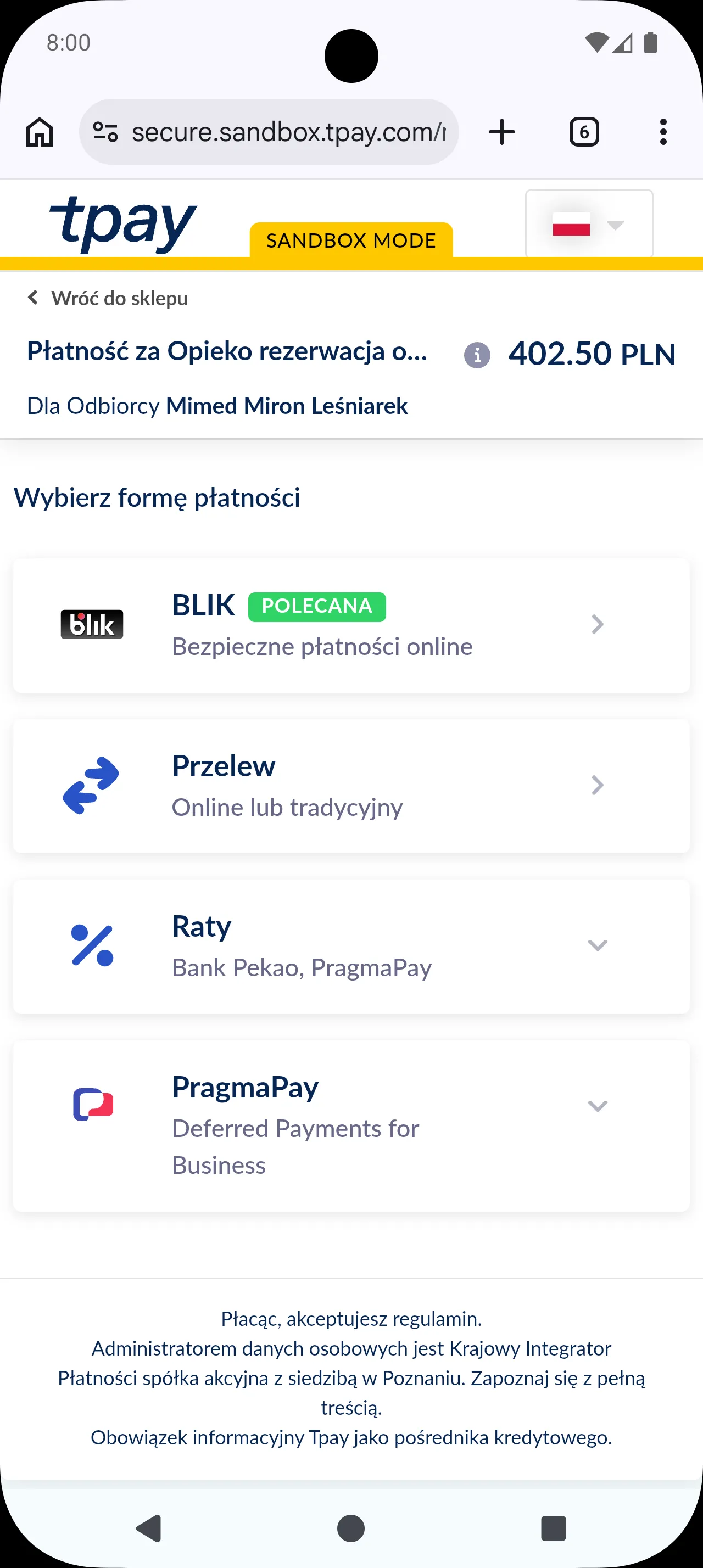
Payment happens in Tpay's secure panel, outside the Opieko app.
What happens if I don't pay in time? +
A confirmed but unpaid booking auto-cancels after 24 hours — you'll need to send a new request. If the caregiver doesn't respond to your request at all, it expires much sooner — within a short default window counted from when you sent it (about 90 minutes), cut short if the visit itself starts sooner.
How do I cancel a request? +
Cancel it in the app as soon as you can — the caregiver is notified immediately.
Can the caregiver see my phone number and address right away? +
No — until the booking is confirmed and paid, chat hides phone numbers, email addresses and the exact address. You'll see the caregiver's full surname once they confirm, and their phone number and the exact visit address unlock only once you pay.