
-
How payouts work
Once a client pays for a completed visit, funds land in your Tpay settlement account immediately — Opieko never holds any money on its side. You request a withdrawal to your personal bank account yourself in Tpay's panel, not in the Opieko app. Tpay charges its own small fee for that transfer and sets both the amount and the timing — check your own Tpay panel for the current terms. -
Check your balance in the Tpay panel
Open the Tpay panel to see the funds available in your settlement account. Before you request a withdrawal to your bank account, check the terms that apply to you there — the transfer fee and the monthly free-payout allowance, if your plan includes one. These rules are set solely by Tpay; Opieko has no say in them and doesn't change them.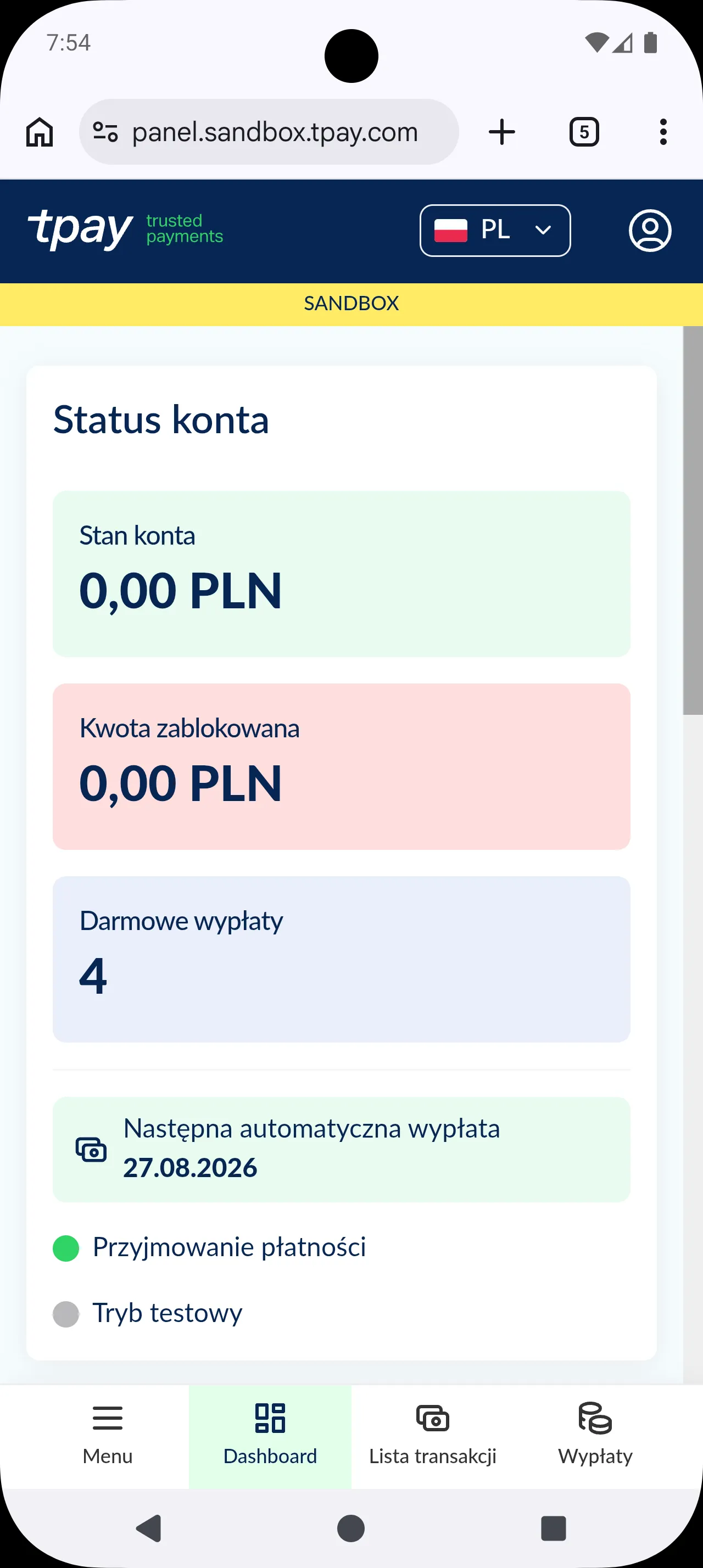
Funds from paid bookings land in your Tpay account, ready for withdrawal. -
Request withdrawals from Tpay payout settings
In the Tpay panel's payout settings you'll find the automatic payout schedule and the number of free payouts per month — that's where you request a transfer of your funds to your bank account.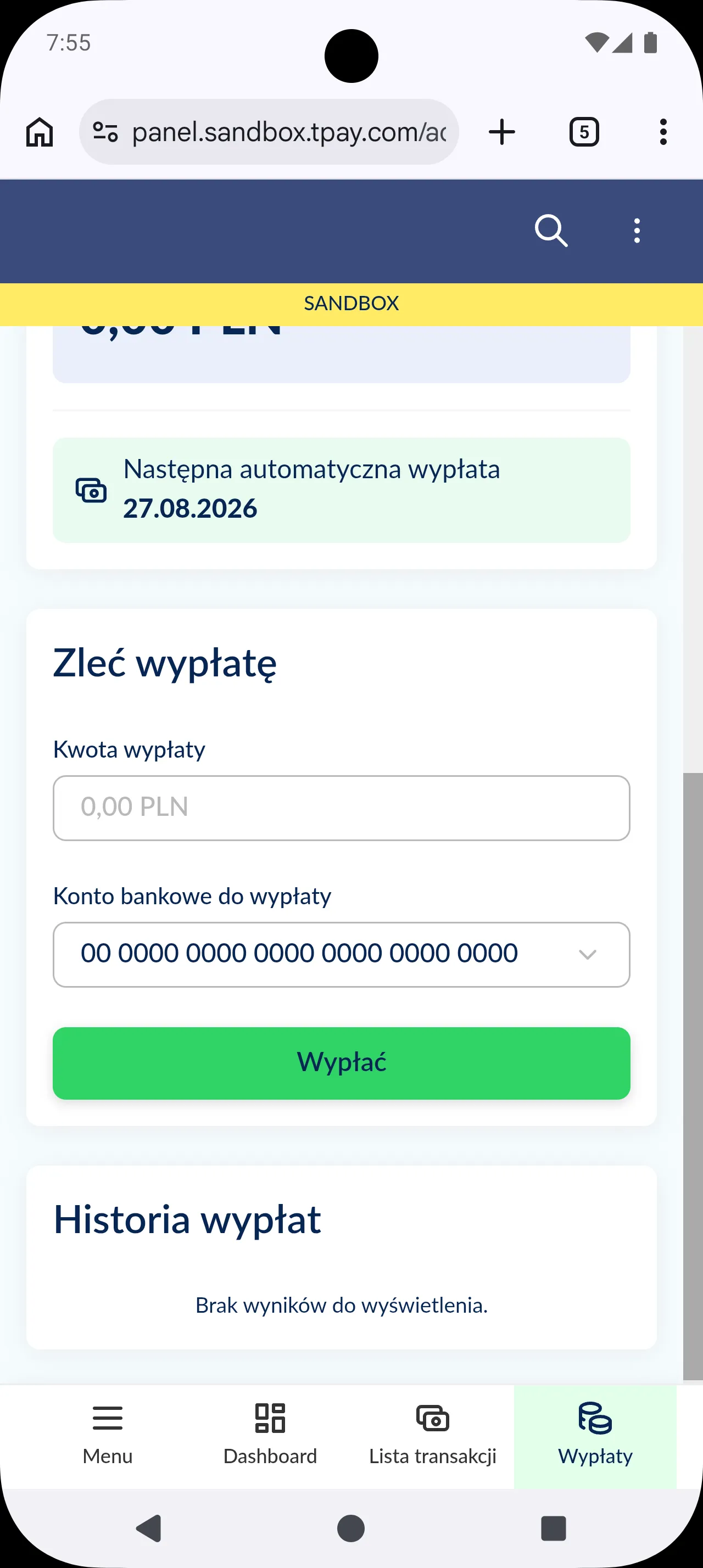
Opieko takes no cut on withdrawals — limits and fees beyond the free allowance are set by Tpay.
Does Opieko take anything from my payout? +
No — Opieko deducts nothing from your rate or your payout. Tpay does charge its own small fee for the transfer to your bank account; that amount is set solely by Tpay, our payment operator, and Opieko receives none of it.
Where do I request a withdrawal to my bank account? +
In the Tpay panel, not in the Opieko app — that's where you enter your account number and request a transfer of the funds held in your settlement account.
Is there a limit on free withdrawals per month? +
Usually yes — Tpay gives you an allowance of free payouts per month and charges its own fee beyond it. Check the exact allowance and rate in your own Tpay panel's payout settings — Opieko doesn't set either.