
-
Choose the caregiver role
The first time you open the app you say how you intend to use it. Pick “I provide care services”. The role belongs to the account — if you later want to book care for someone close to you, you create a separate account for that.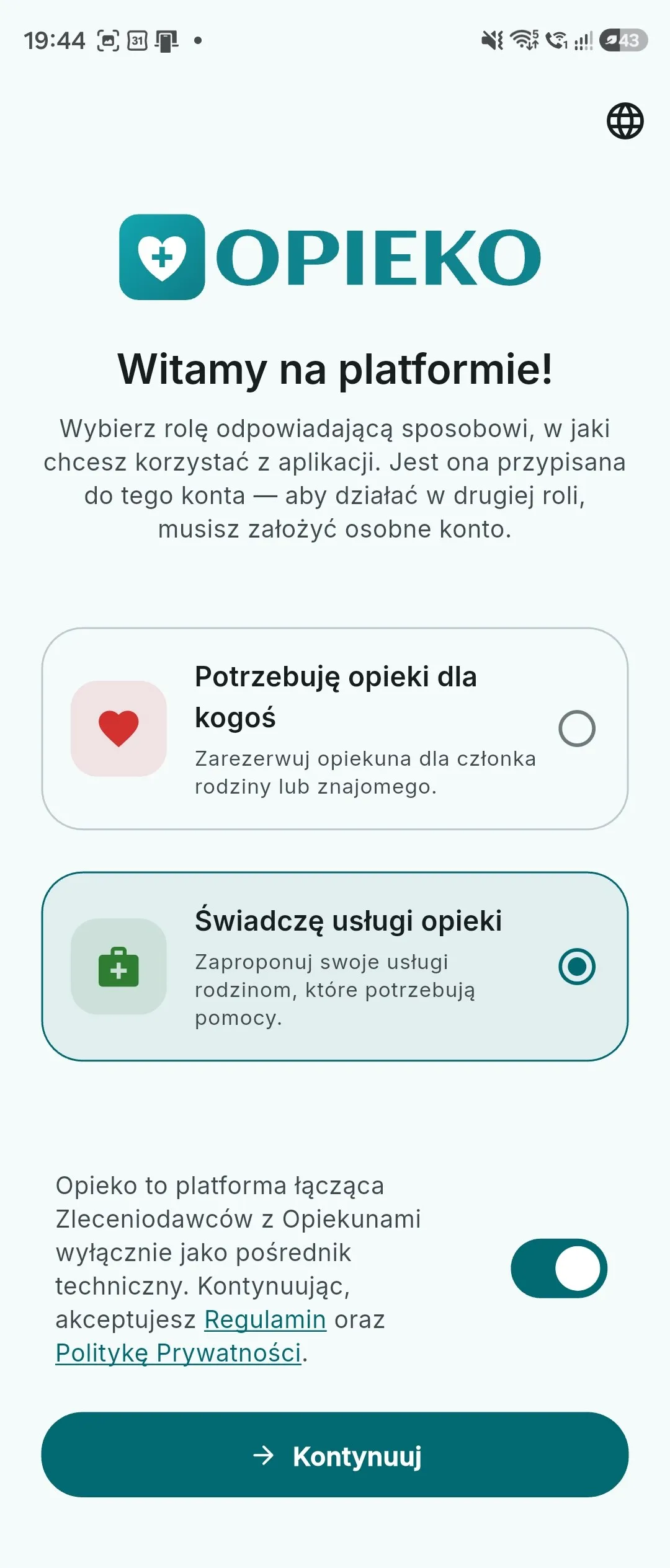
The role belongs to the account — as a caregiver you pick “I provide care services”. -
Create your account
Sign up with an email and password, or in one tap with Google, Apple or Meta. Creating an account and keeping your profile on Opieko is free; the only cost in the whole signup is the Tpay activation fee covered in step 19.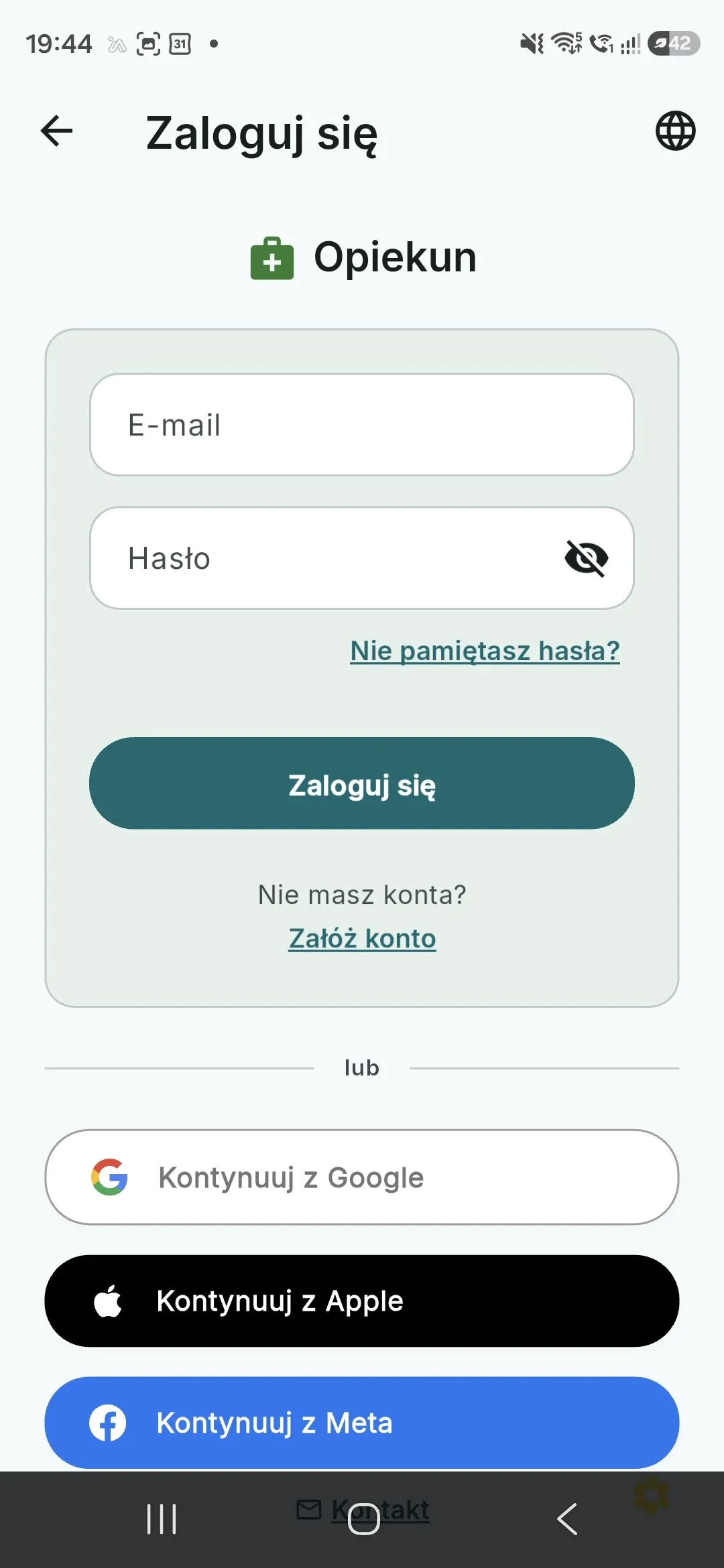
Create your account with an email, or in one tap with Google, Apple or Meta. -
Add your name and phone number
The first onboarding screen covers the basics: profile photo, first and last name, phone number, and the 18+ attestation. Families see your photo and first name before they send an enquiry — a clear photo of your face usually makes the biggest difference here. Your phone number stays hidden until a booking is paid for.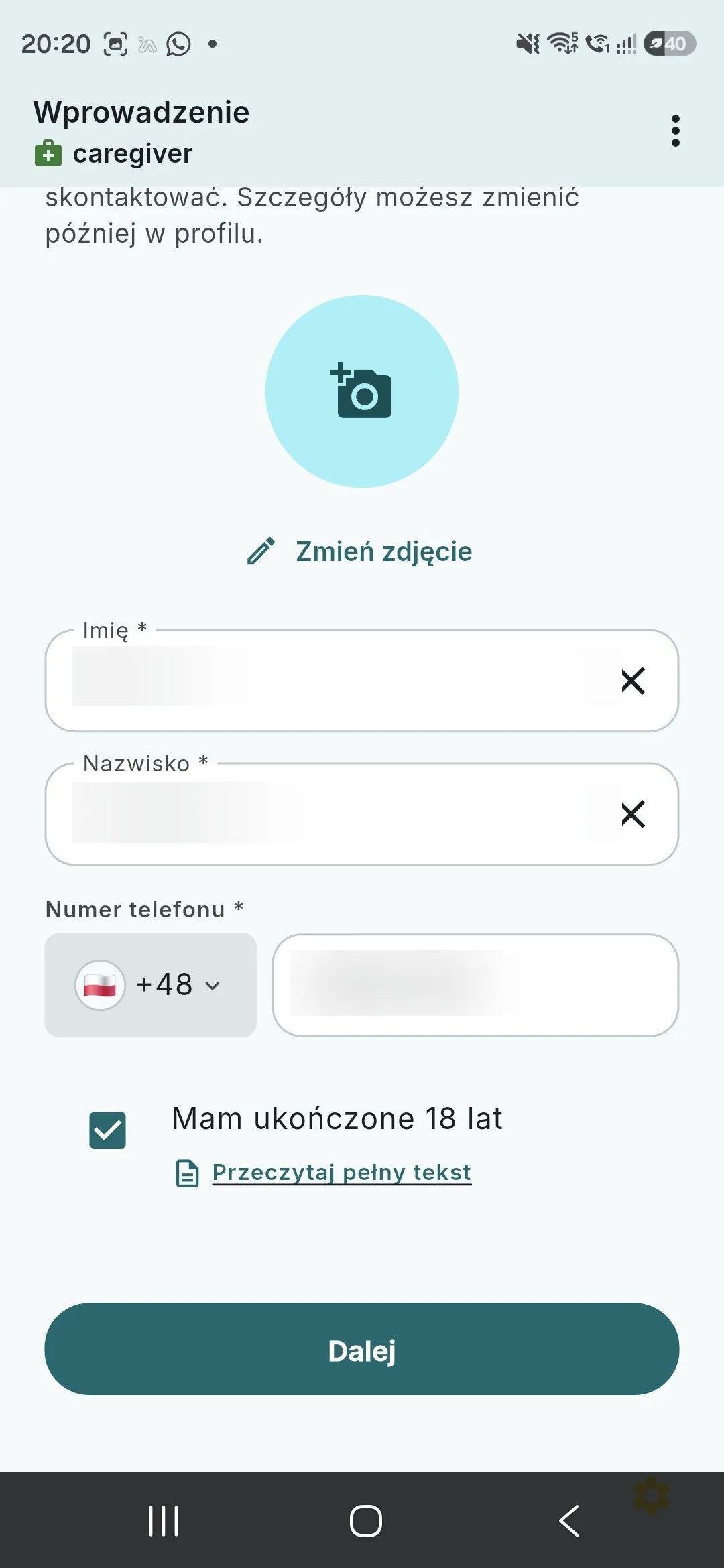
A photo and full name build trust with families — you can change both later in your profile. -
Choose your account type
You state whether you run a registered practice (Business) or provide care as a private individual. This decides which services you may list: a private individual offers care and support services, while the full catalog of health services requires a registered practice. It does not change your rate or how you get paid.Your account type locks the moment Tpay identity verification (KYC) starts — changing it afterwards requires contacting support.
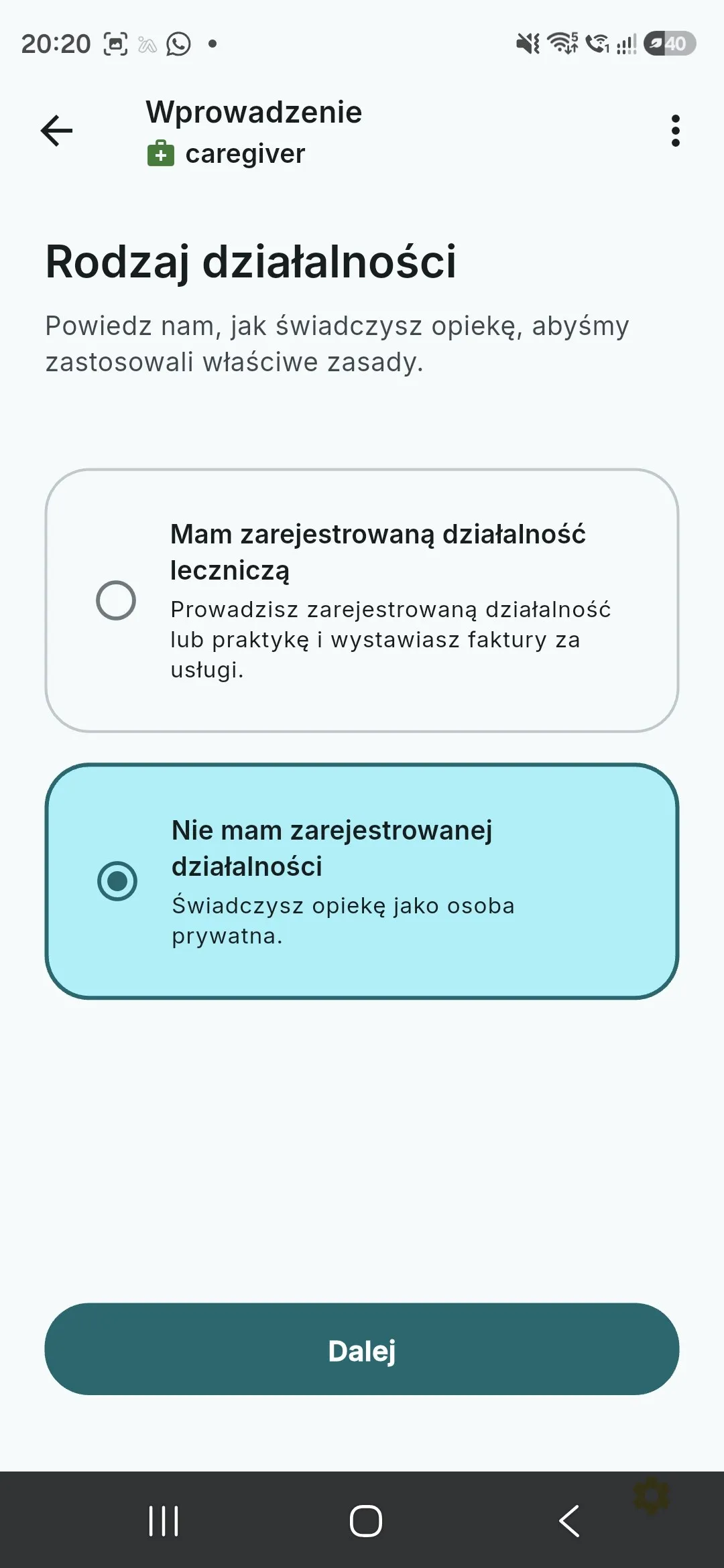
This choice decides which services you may list — and it locks the moment Tpay verification starts. -
Fill in your legal details
Here you provide what the law requires: date of birth and PESEL number (private individual), or company name, tax ID and business address, plus your VAT status. This screen also captures the DAC7 disclosure and the e-invoicing consent. We keep these details private — the only ones shown publicly on your profile are the company registry details the law requires us to show.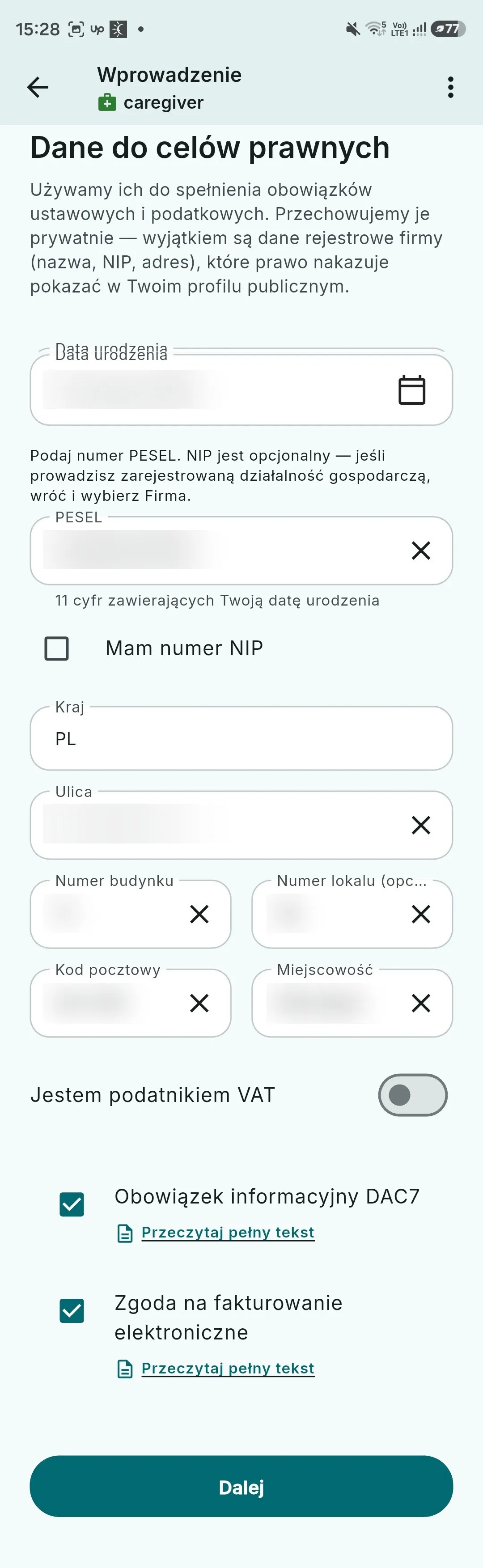
Statutory details drive settlement and verification — apart from company registry data they are never shown publicly. -
Tell families about yourself
A short bio, the languages you speak, and the OC liability insurance attestation. This is the first thing a family reads: be concrete about how long you have worked, who you usually care for, and what you can handle. You can rewrite it any time from your profile.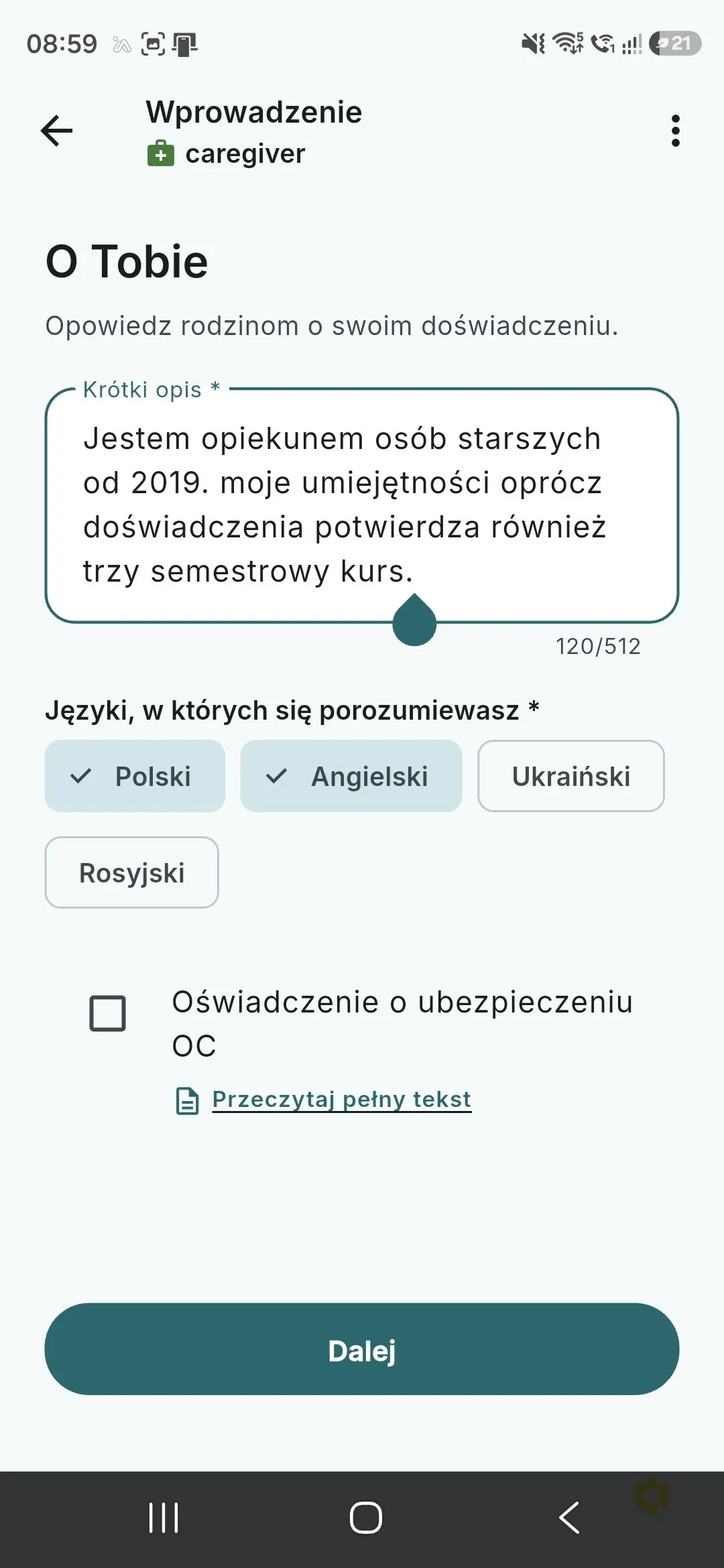
This is the first thing a family reads — a concrete bio and your languages measurably help you get enquiries. -
Build your offering and set your own rates
Tap “Add offering” and a three-screen wizard opens. It starts with your professional category — doctor, elderly caregiver, medical caregiver, midwife, nurse, paramedic or physiotherapist — because that choice decides which services and which documents you see next. Then you pick the individual services from Opieko's catalog and set the rate yourself for each one — hourly or per procedure. Opieko's commission is added on top of the price the client pays, so you receive 100% of your rate; withdrawing the funds from your Tpay account to your bank carries a small fee of Tpay's own, beyond your monthly free-payout allowance. See the worked examples in the pricing page.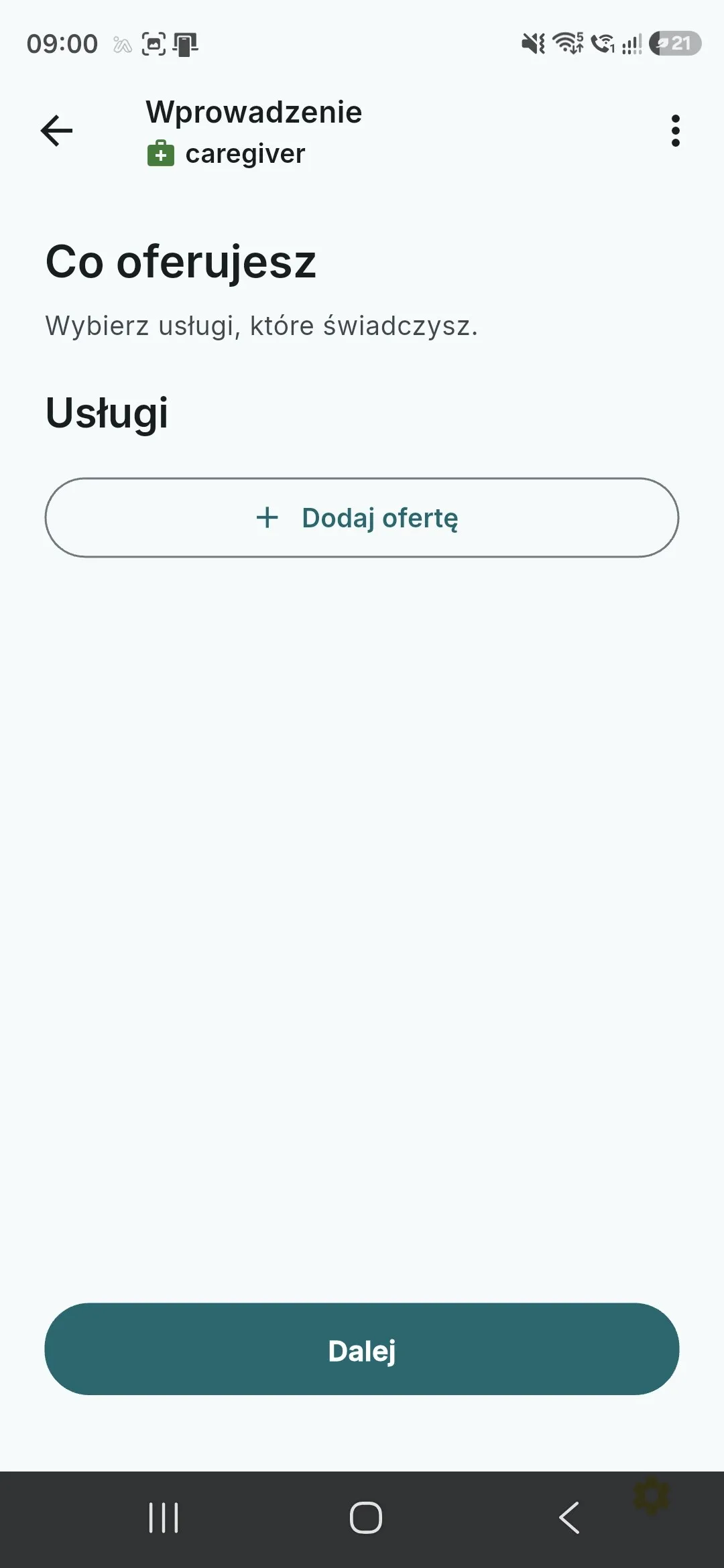
You start from an empty list… 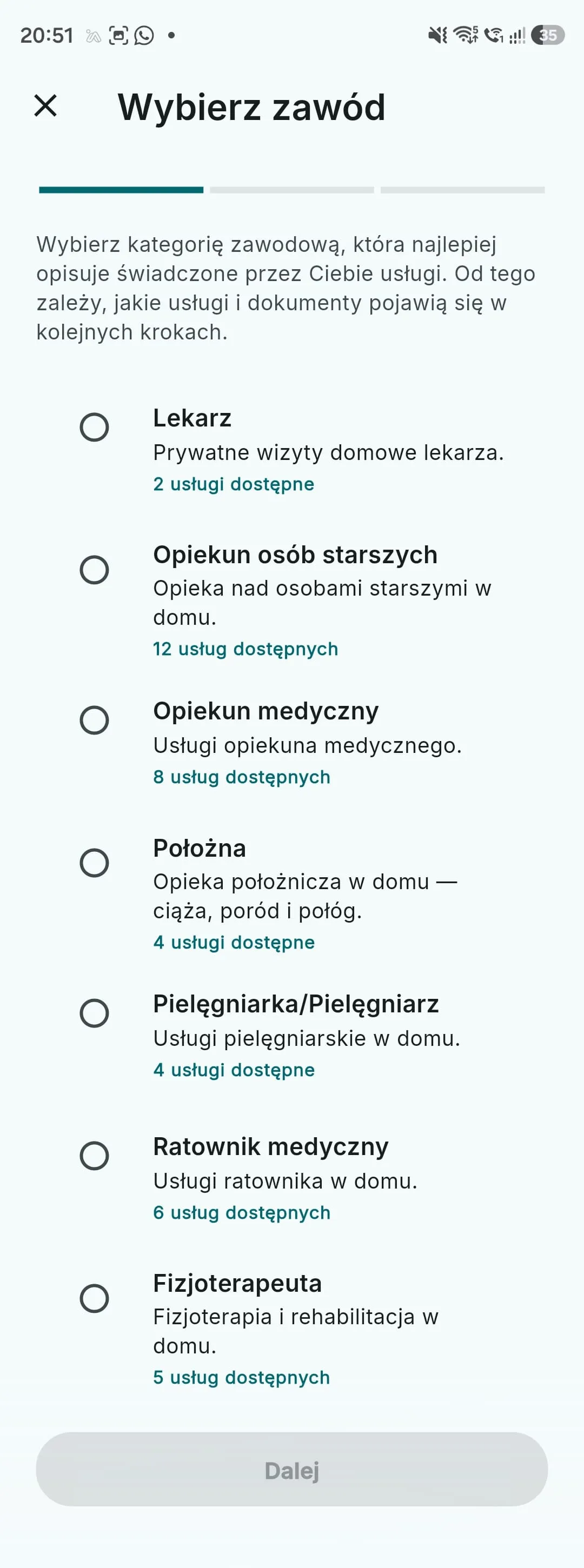
…you pick a professional category… 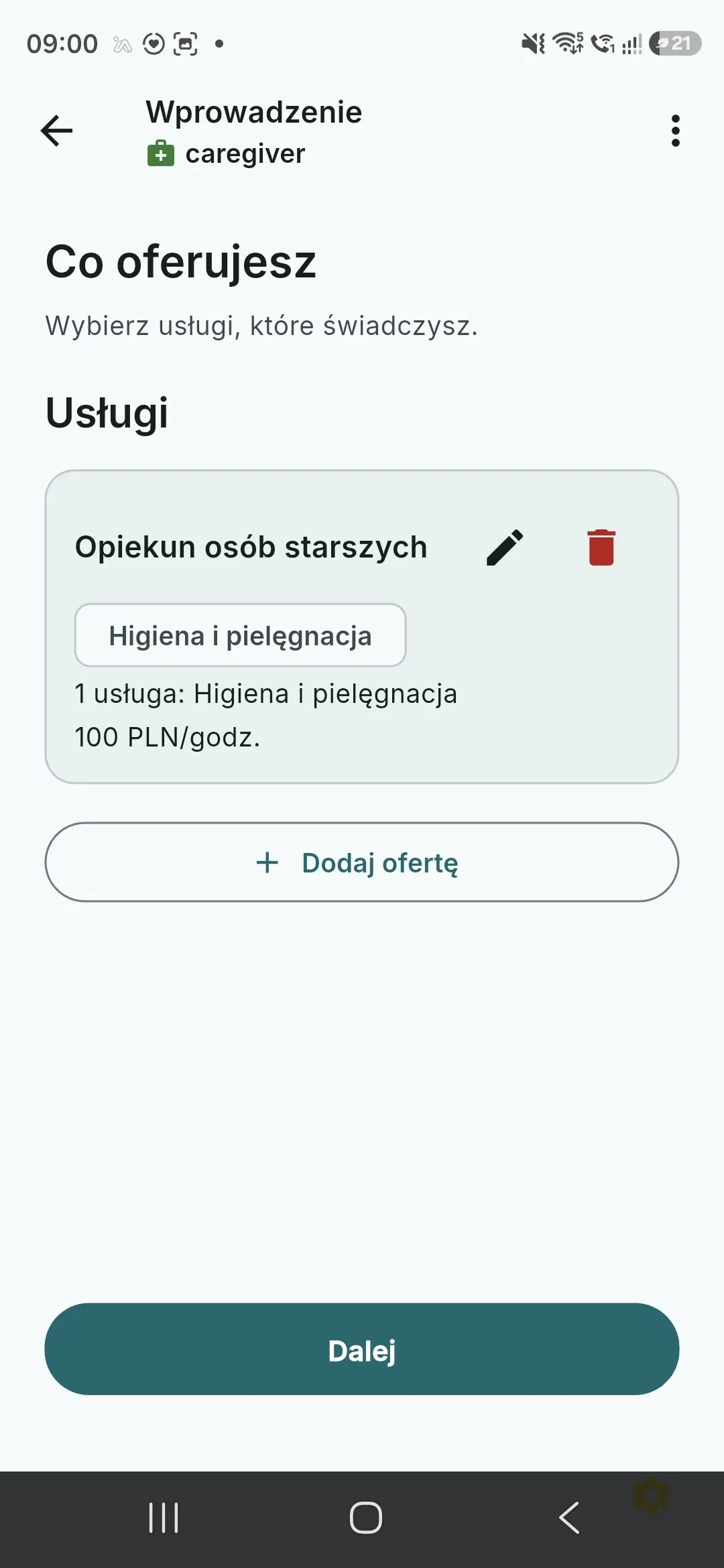
…and finish with your own price list. You set the rate yourself. -
Attach documents, if the service needs them
The last screen of the wizard is “Add documents”. What it asks for follows from the choices you just made: regulated professions and health services ask for proof of your qualifications (a diploma, or your professional licence number, for example), while care and support services usually show “No additional documents are required” and you simply confirm with “Done”. Files upload the moment you pick them; you can come back to them later in your profile, and every further offering goes through the same wizard.These are the documents the Opieko team checks during the credential review — one of the two gates that must close before you can accept bookings. A legible photo or scan of the whole page keeps that review short.
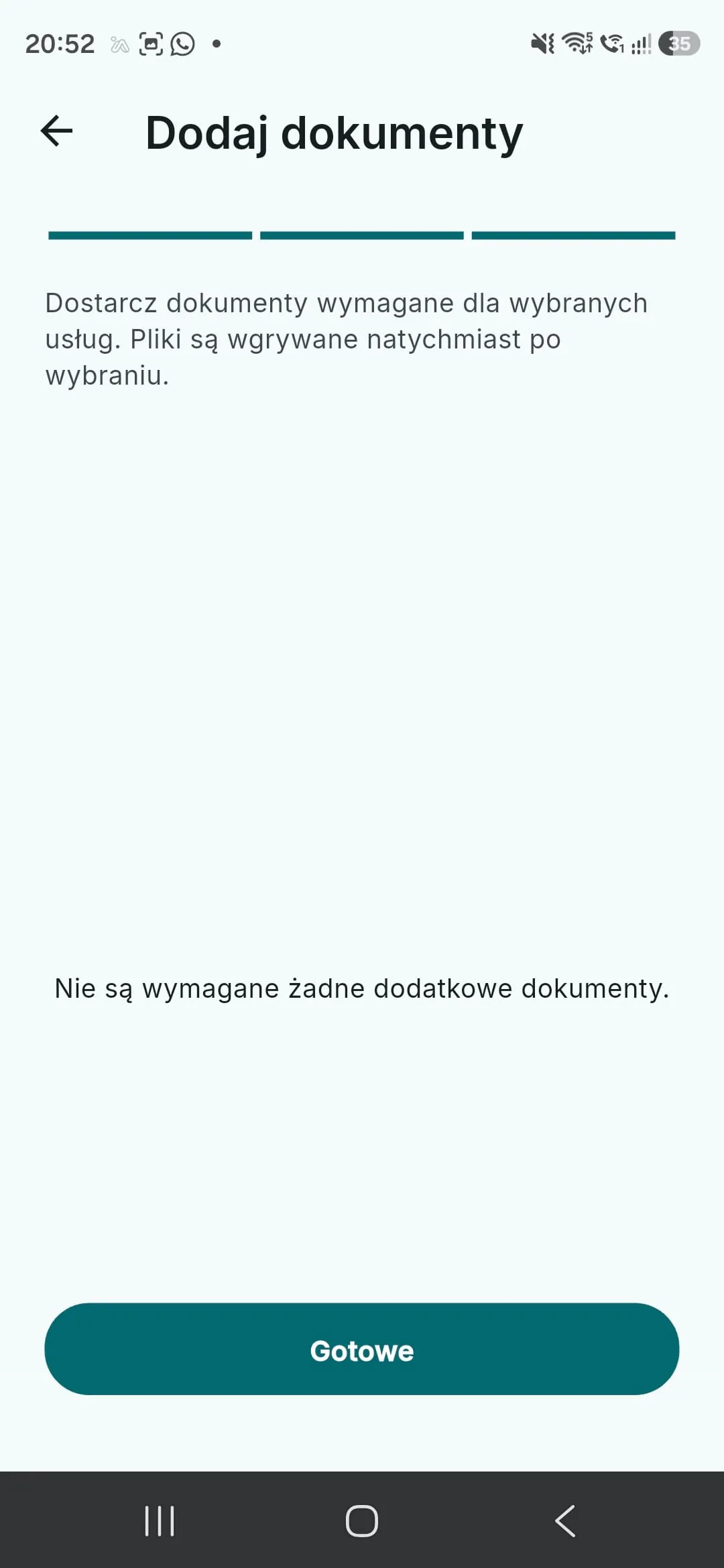
What the screen asks for depends on the services you picked — this offering needs nothing. -
Mark the areas you work in
You add one or more service areas: tap the map to set the centre, then choose the radius with the slider. Requests only reach you from the areas you marked, so how far you travel is your call. Areas can be added, narrowed or removed later from your profile.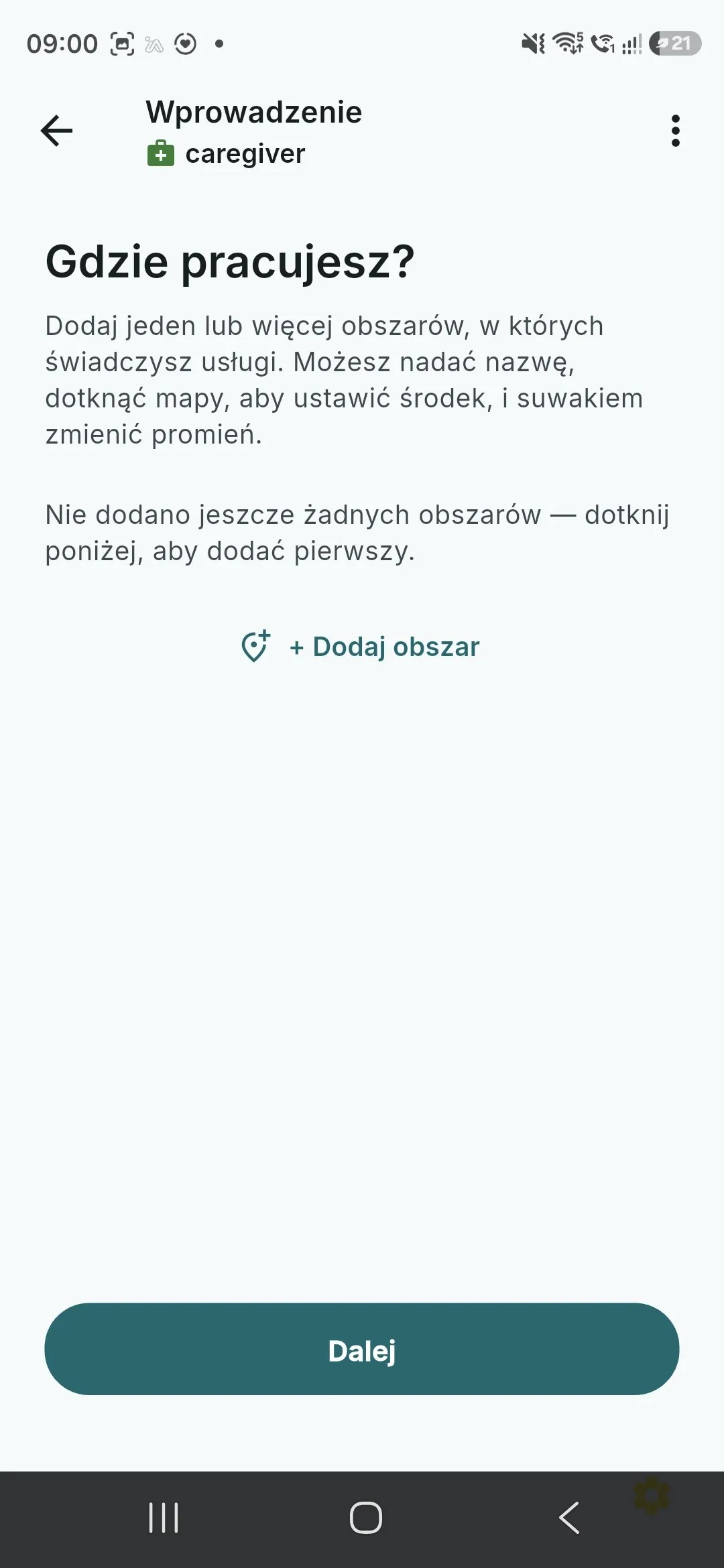
You add your own service areas — several if you need them. 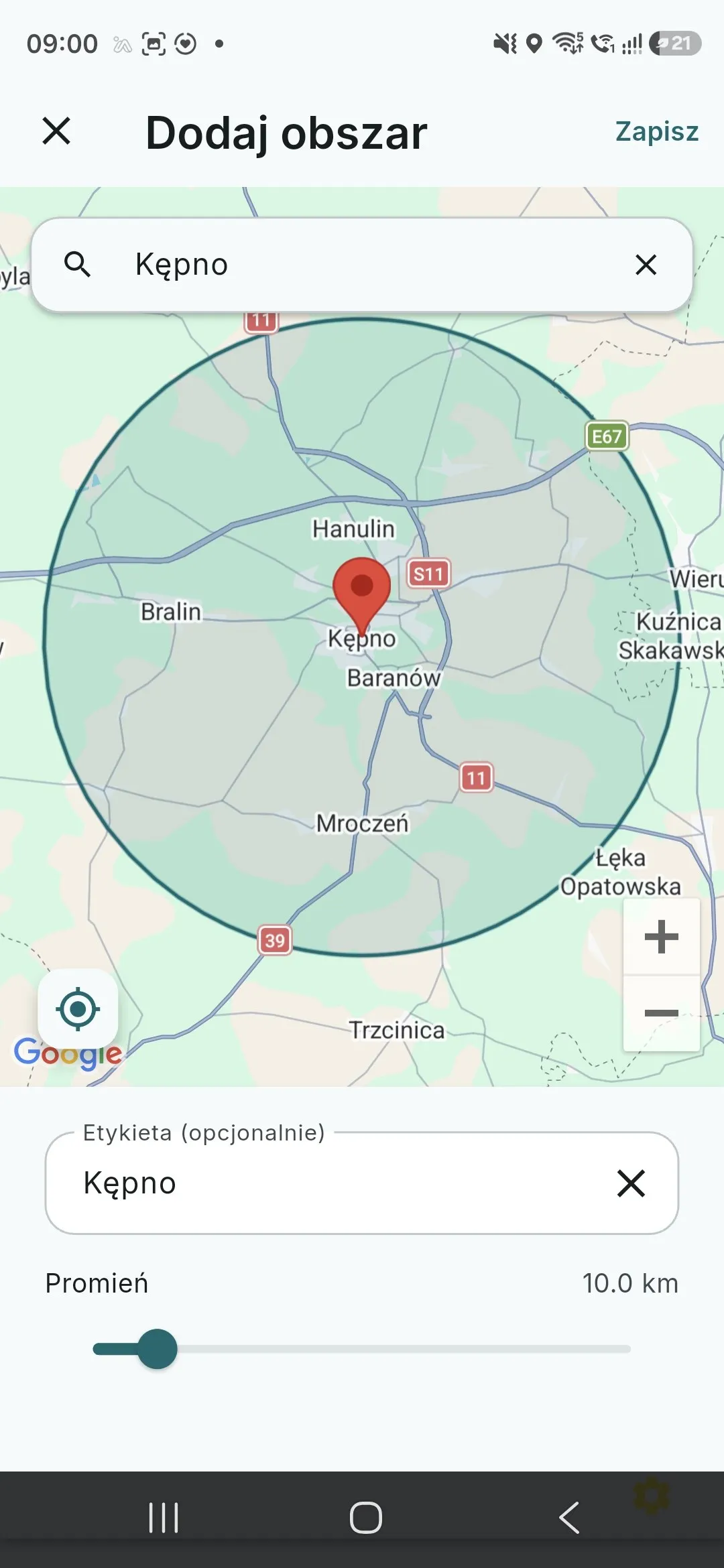
Tap the map to set the centre, then pick the radius with the slider. 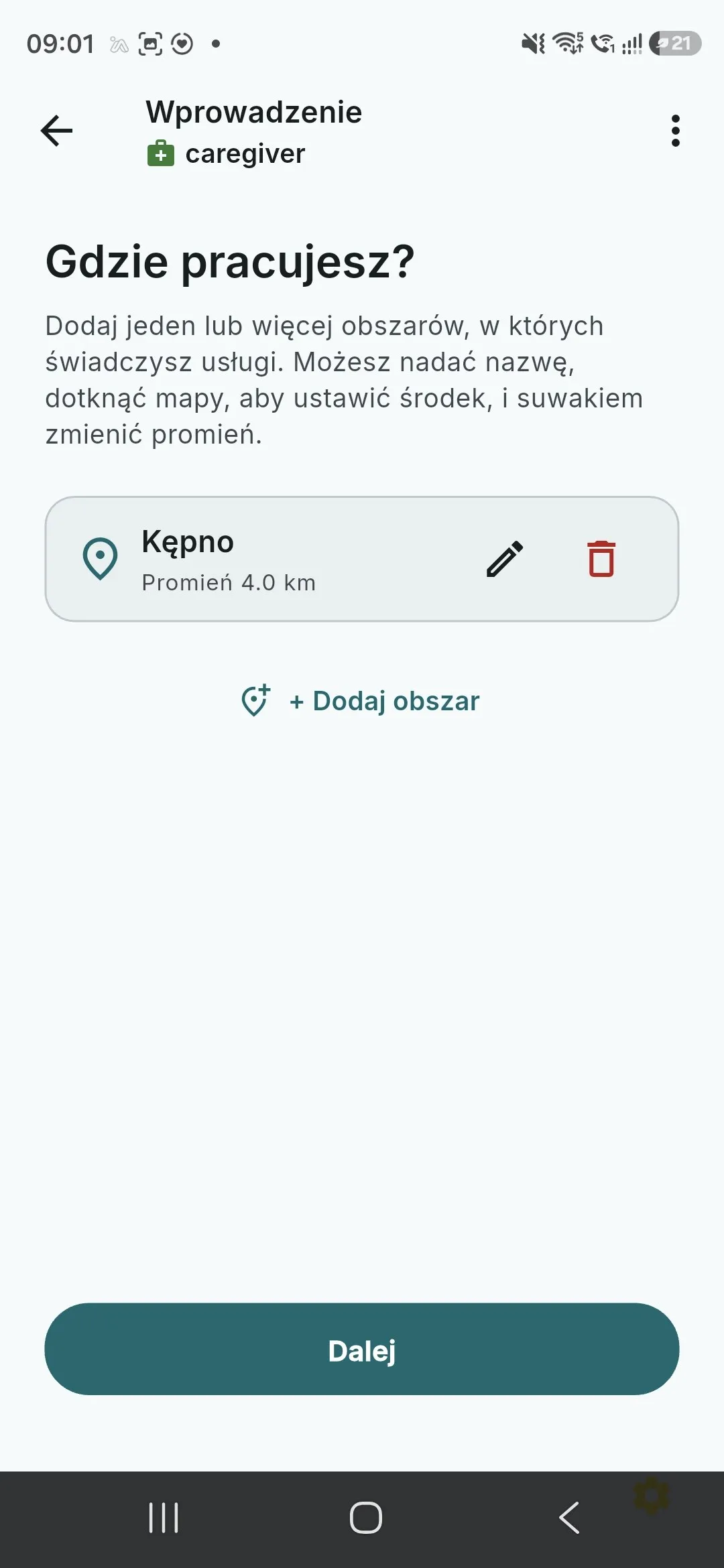
You only get requests from the areas you mark — no trips into the unknown. -
Set your availability
You mark time ranges for each weekday — this is your usual working week, not a commitment. Availability tells families when you can typically take a visit; you still accept every request individually, and the schedule can change any time.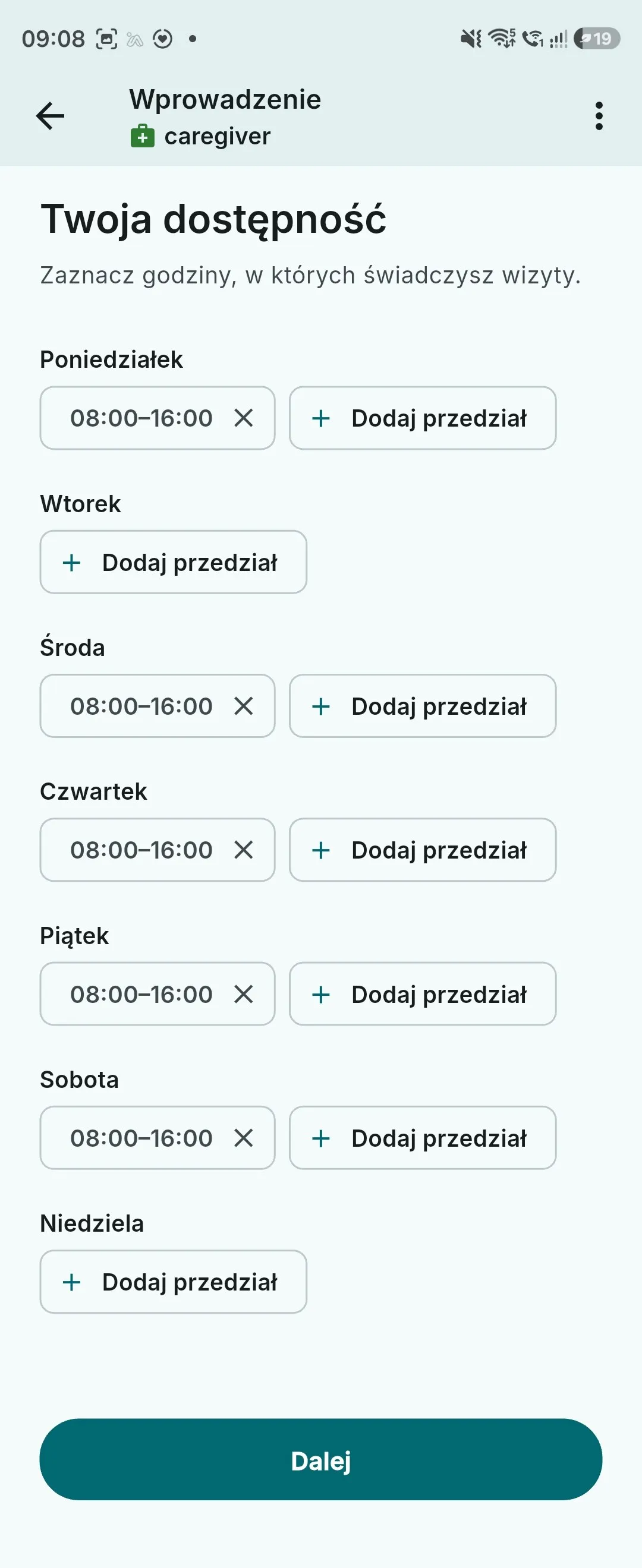
You decide when you work — availability can be changed any time in your profile. -
Start setting up payouts
To get paid for bookings you need a settlement account with our payment partner Tpay. You tick the data-transfer consent and tap “Open TPay”. From that point on you are on Tpay's pages — Opieko never sees or stores what you enter there.In the Tpay panel choose exactly the same legal form you chose in Opieko (sole proprietorship or unregistered activity). A mismatch stalls the verification.
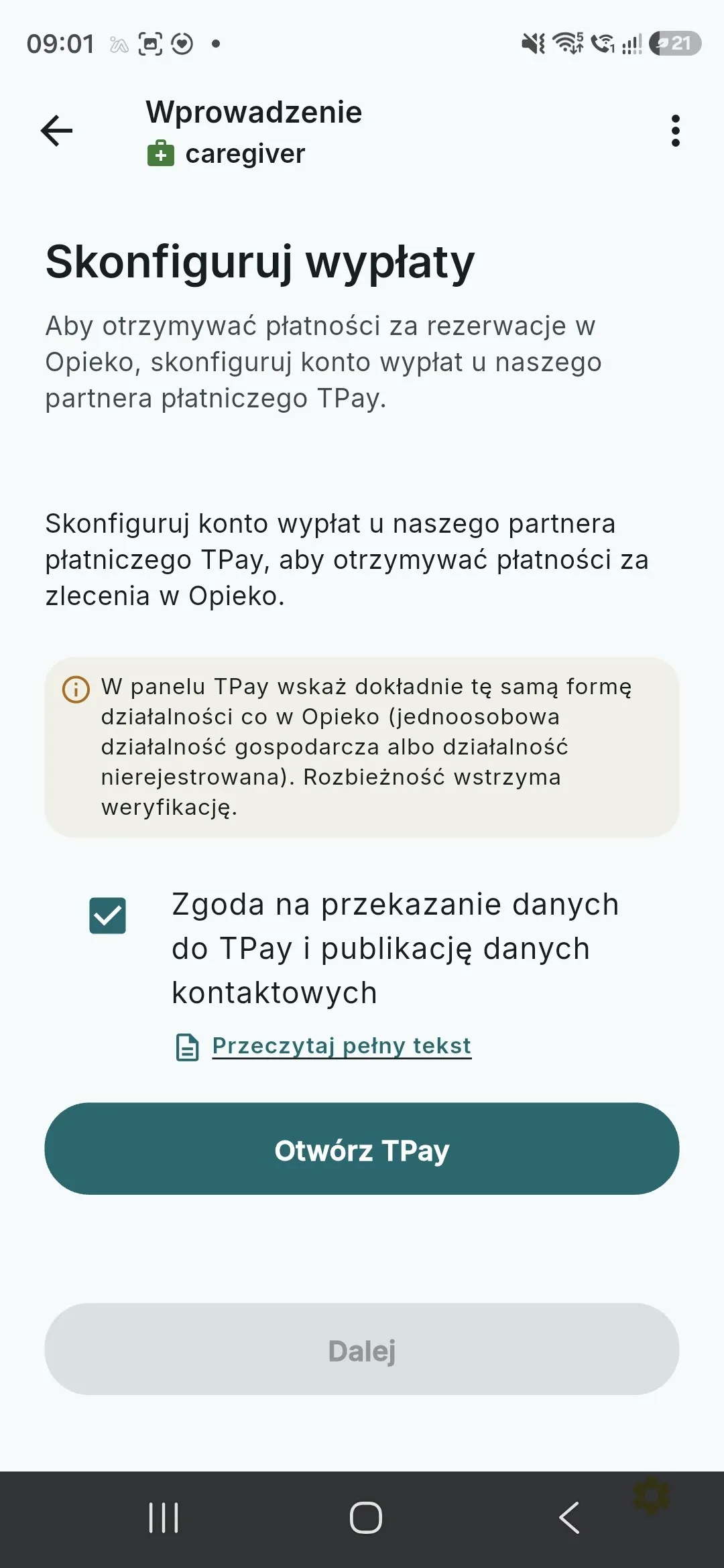
From here you hand off to Tpay — our payment partner, which runs your settlement account. -
Accept the Tpay terms
The first screen on Tpay's side is accepting the Merchant Panel terms. The payment-services agreement is made directly with Tpay, and the data controller for what you enter there is Krajowy Integrator Płatności S.A. The process is documented in Tpay support.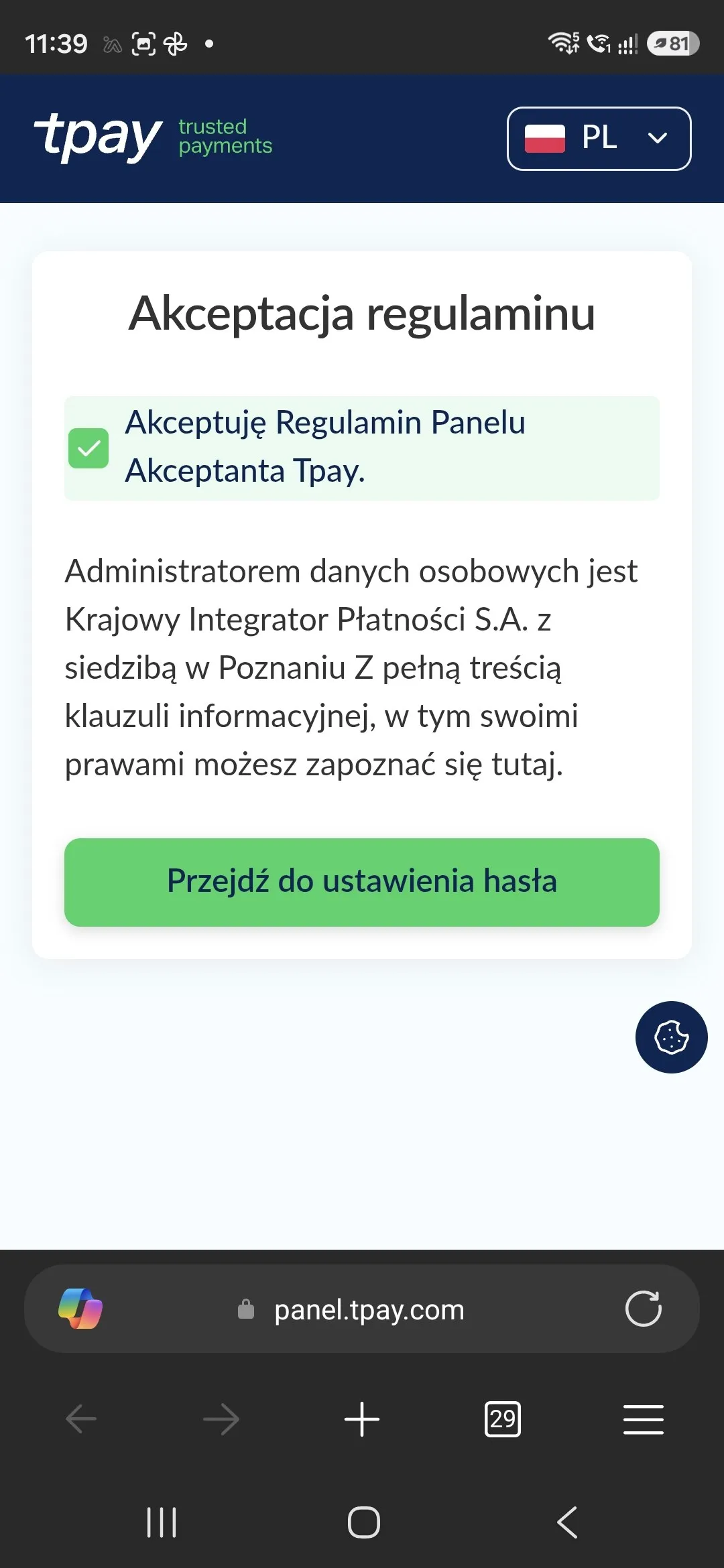
The payment-services agreement is made directly with Tpay. -
Set a password and save your ID number
Tpay assigns you a merchant ID number and asks you to set a panel password. That pair is how you sign in to Tpay from then on — including from a computer, whenever you want to check your balance or request a payout.Save the password and the ID number somewhere safe before you continue. We recommend finishing the Tpay verification on a computer (Windows, macOS or Linux) — the forms are far easier there, and attaching document scans is simpler than on a phone.
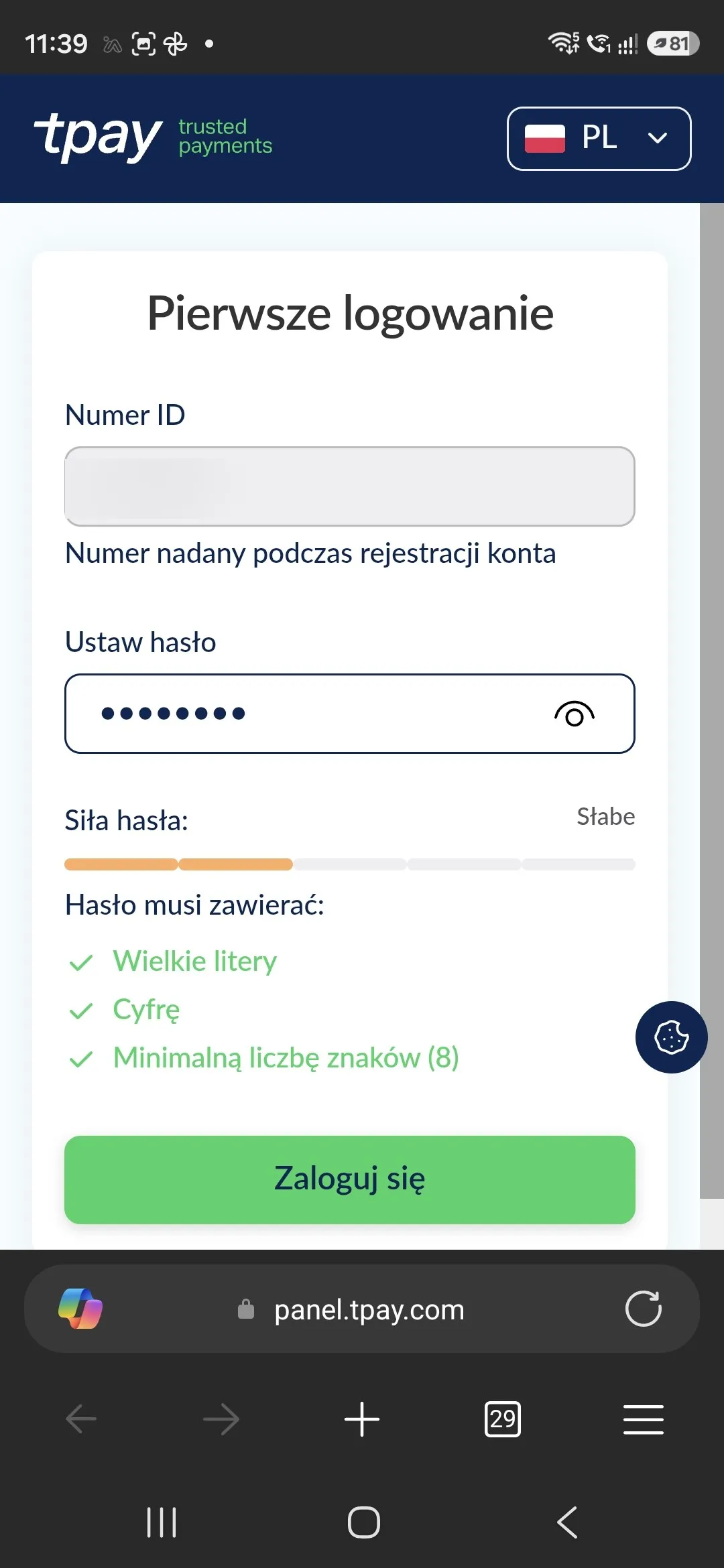
Save the password and the ID number — they are your login to the Tpay panel, on a computer too. -
Read the verification notice
Once you sign in, the Tpay panel shows that the account exists but that accepting payments still has to be unlocked by verification. Per Tpay's own notice the process usually takes up to four days and stretches out when required documents are missing — which is why it pays to complete the form fully the first time.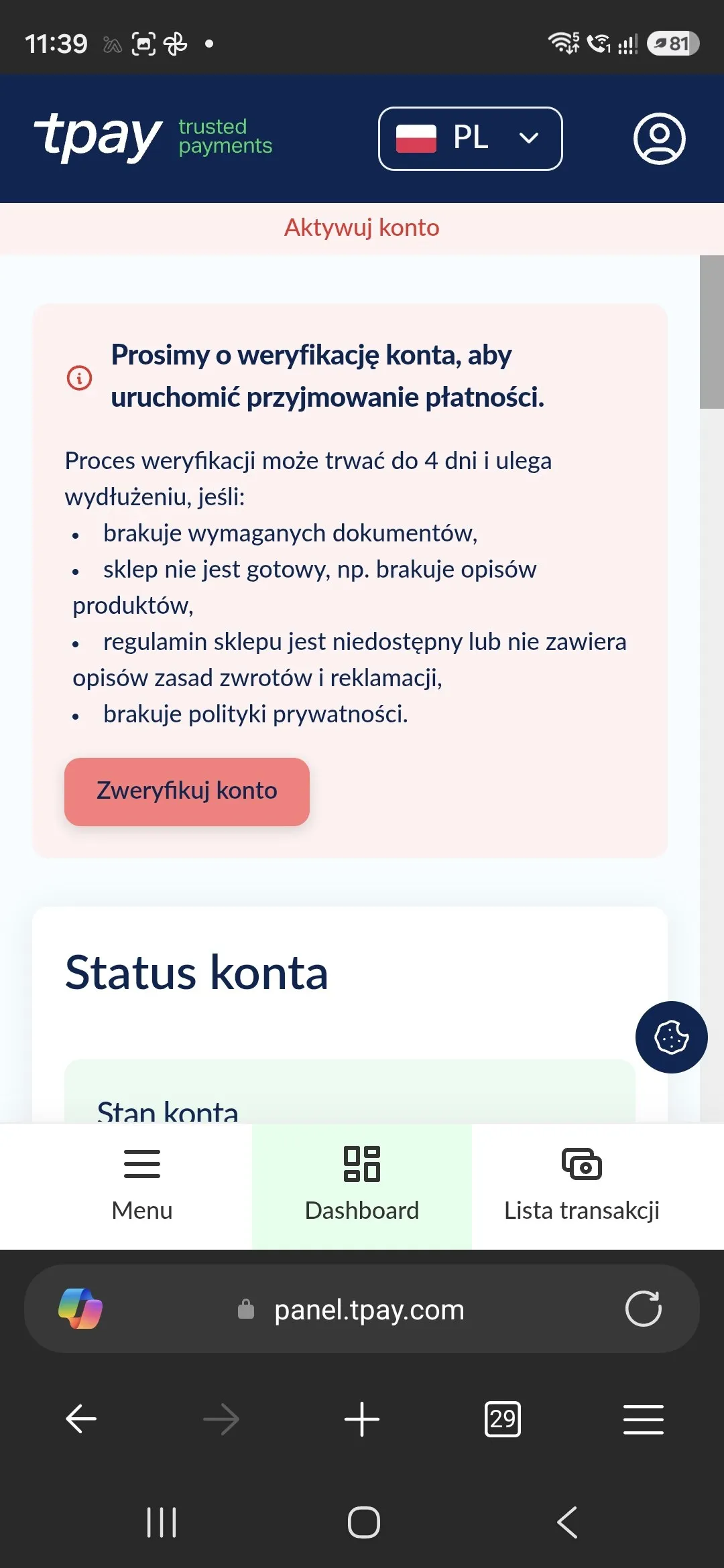
The Tpay account exists, but payments start only after verification. -
Move over to a computer
This step is recommended but not required: you can finish verification on a phone, but a computer makes it faster and far less fiddly. Open your inbox on the computer, find the “Rejestracja w Tpay” registration email and follow it into the panel — or go straight to the Tpay panel and sign in with the ID number and password from the previous step. You land on a dashboard showing your account status and balance.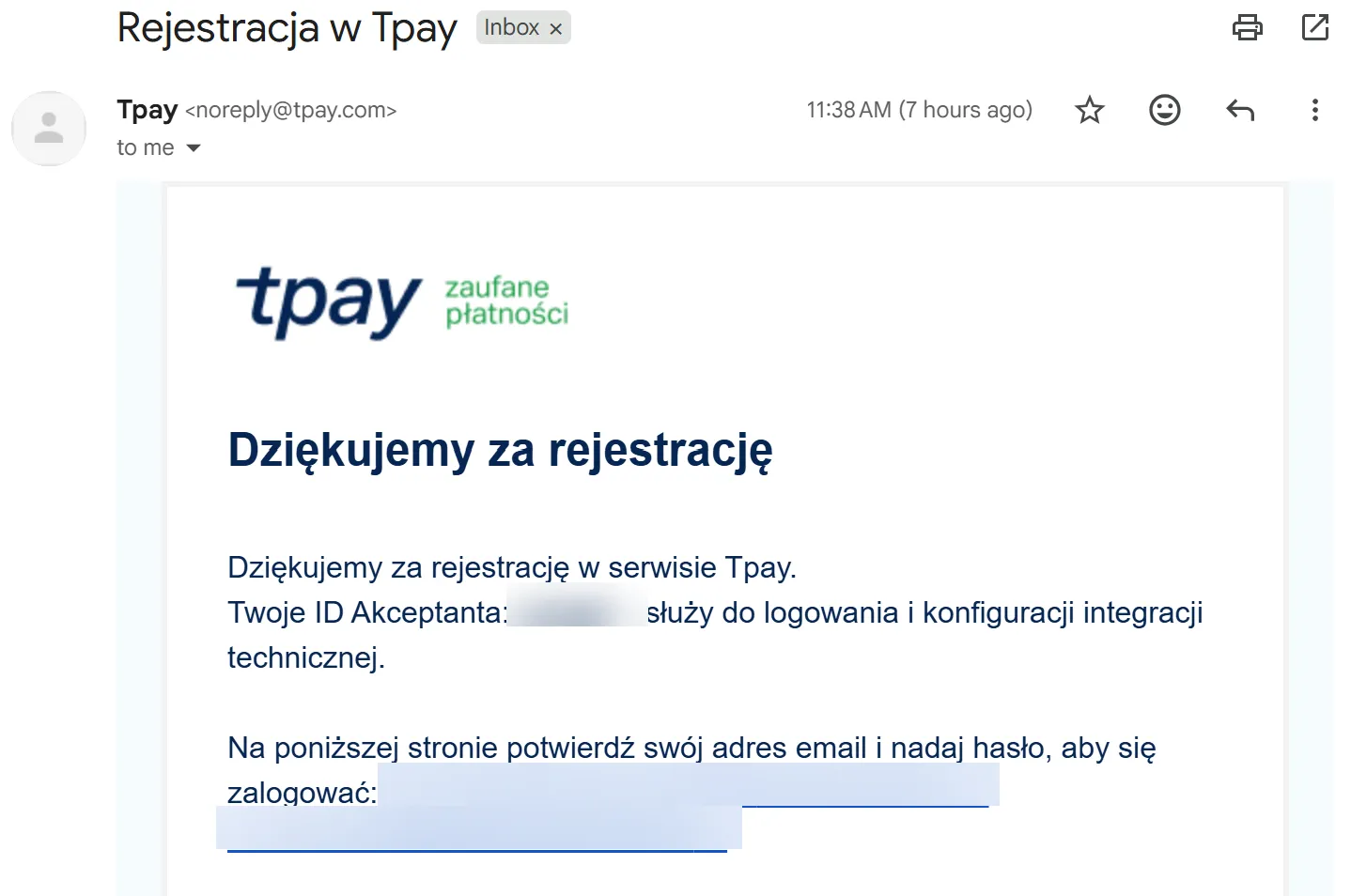
Open that same email on your computer — the rest of the verification is far easier on a big screen. 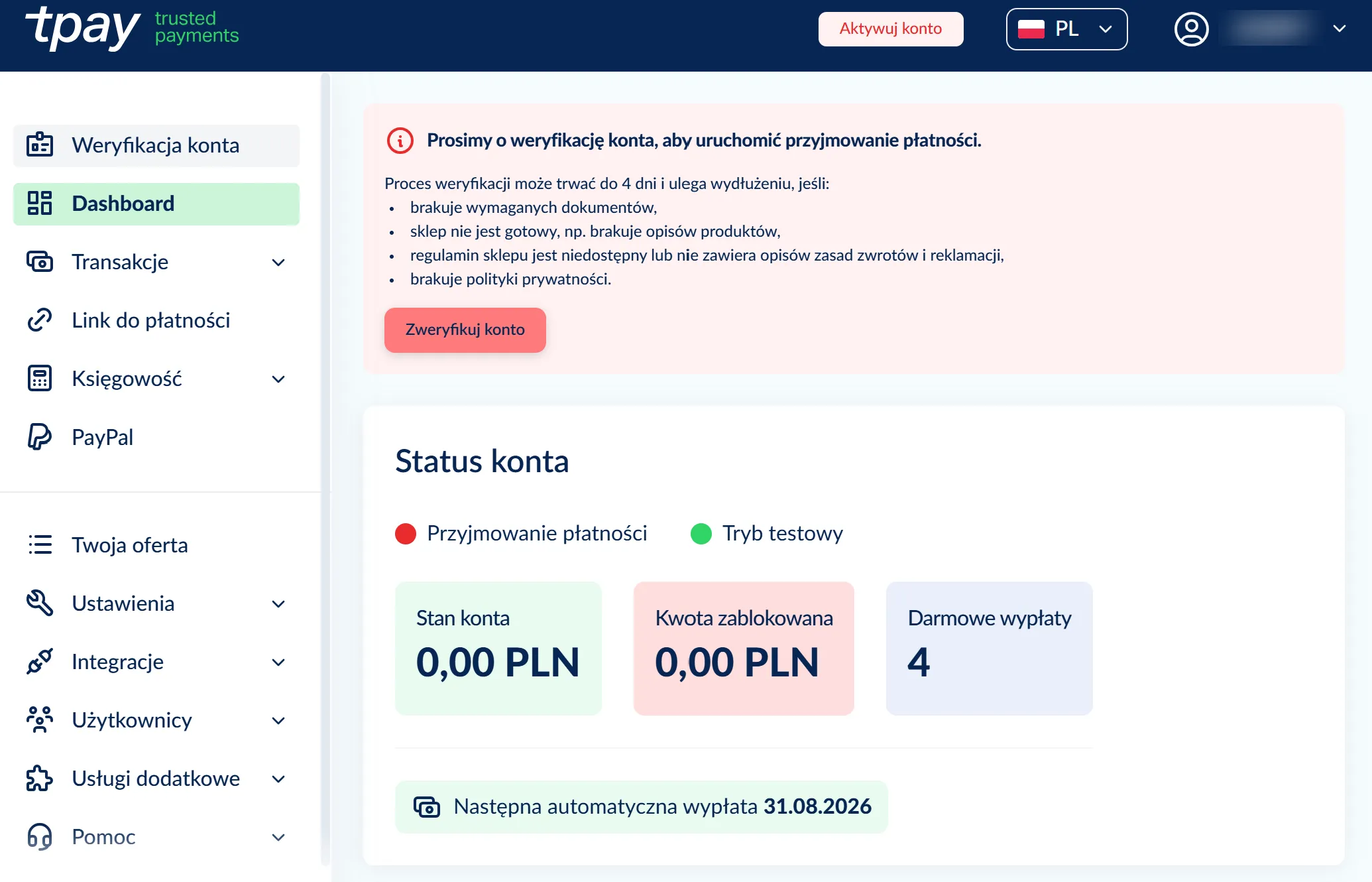
This is a caregiver's Tpay panel — your balance lives here, and so do your payouts. -
Complete the verification form (KYC)
Under “Account verification” you fill in two parts: the basic details (industry, sales category, address, website) and your personal data together with a scan of your ID document. Enter exactly the same details you gave in Opieko — a mismatched name, address or legal form is the most common reason for rejection. The scans go to Tpay alone; the fields are documented in Tpay support.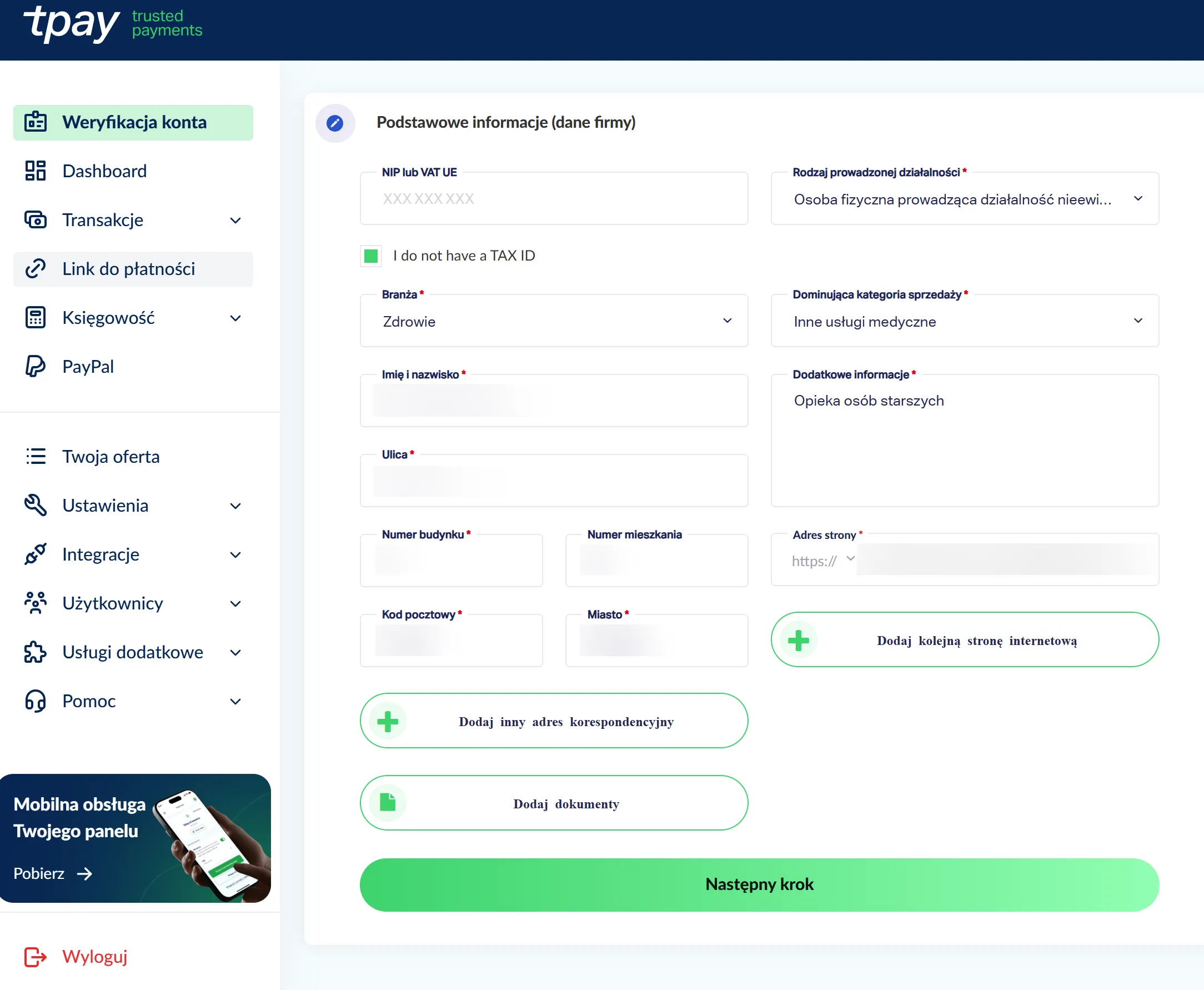
Starred fields are required — enter exactly the same details you gave in Opieko. 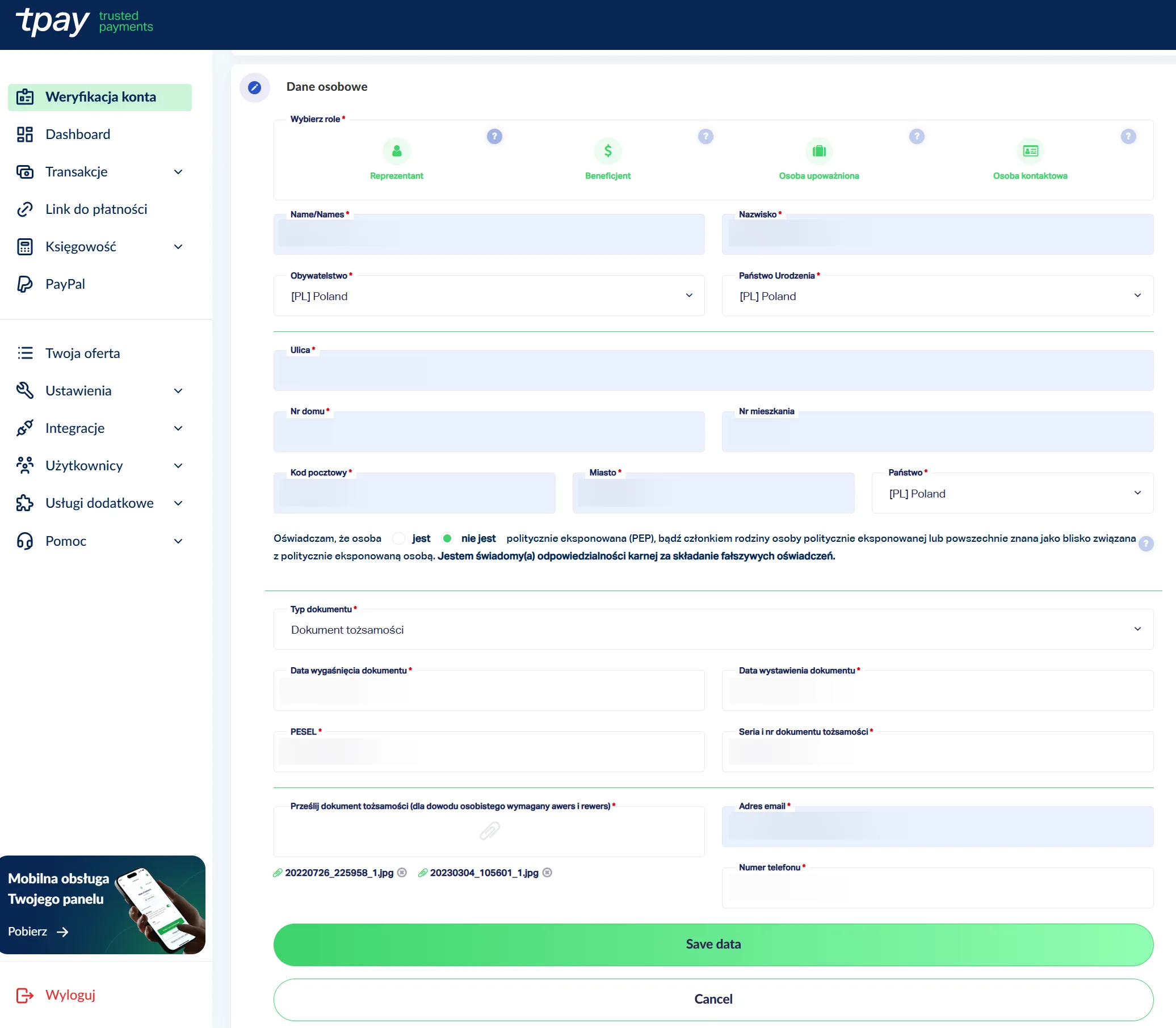
Your ID scan goes to Tpay only — Opieko never sees or stores it. -
Submit your data for verification
Once both parts are complete, Tpay shows a “Data ready for verification” summary. You confirm the declaration that you are entitled to enter the agreement, and submit. If you don't, Tpay sends a complete application on its own one hour after your last change, provided the activation fee has been booked. Every edit restarts that hour.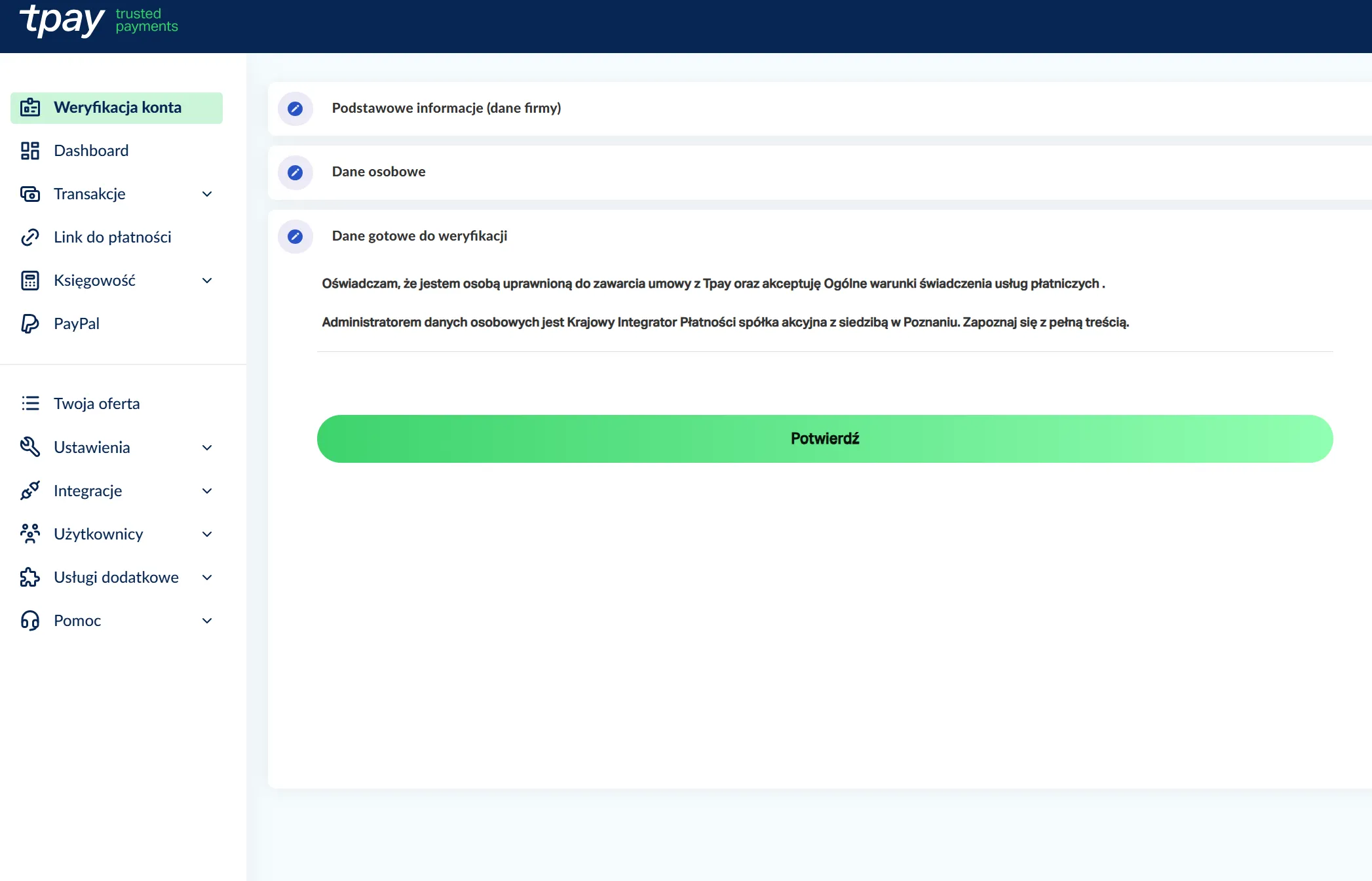
Ticked sections are complete — confirm and submit. -
Verify your bank account
The last section is the account Tpay settles your funds to. A domestic account is verified by paying the activation fee — send it from the very account your payouts should land in, and make sure the account holder matches the details in the form. For a foreign account, Tpay asks instead for a confirmation that the account was opened, plus its SWIFT code.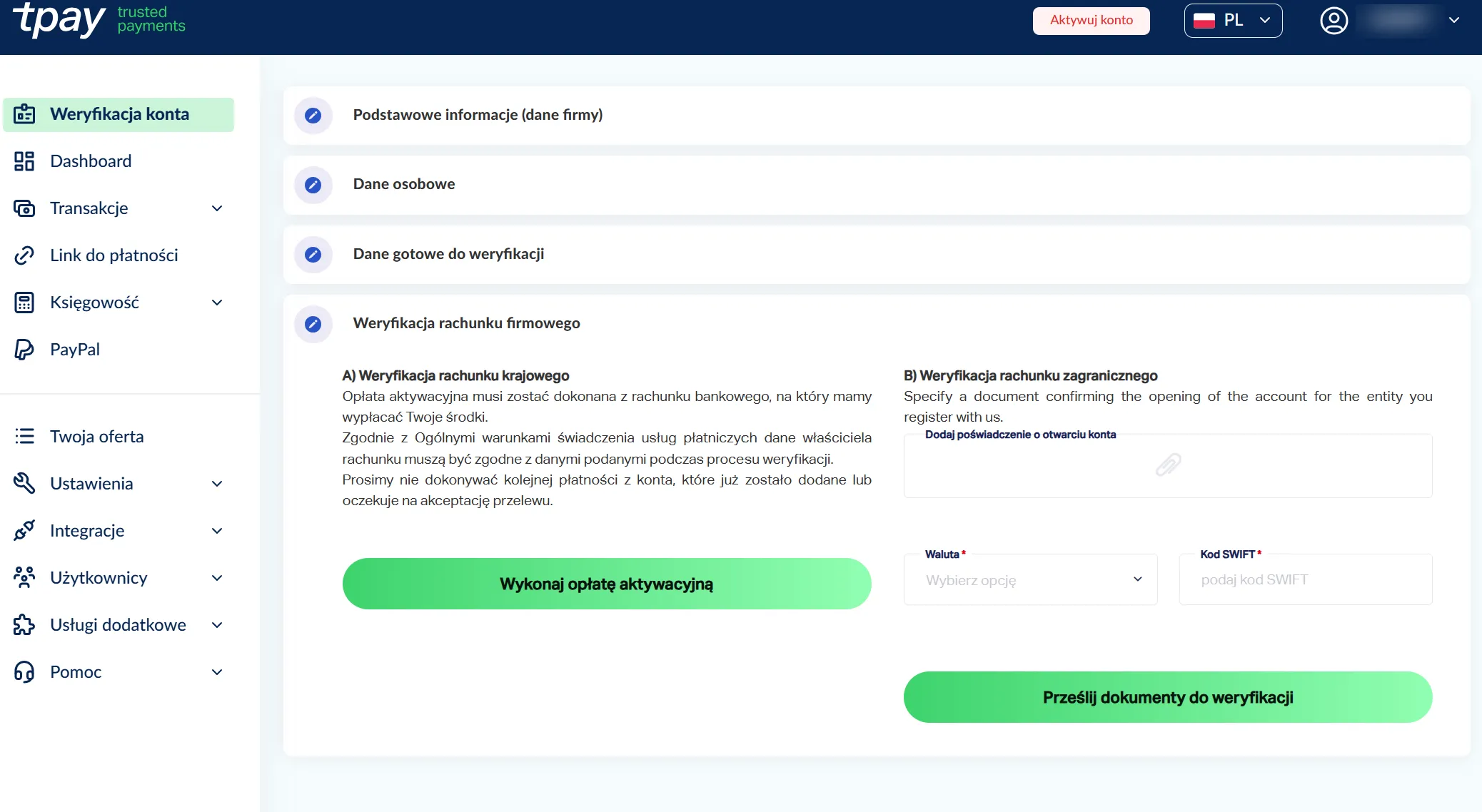
Pay from the very account your payouts should land in — the account holder details must match. -
Pay the Tpay activation fee (10 PLN)
The activation fee is 10 PLN, charged once by Tpay — the only cost in the entire signup, and Opieko takes none of it. You pay by transfer from your own account, wait a moment for the bank to confirm, and get a confirmation screen. The terms are explained in Tpay support.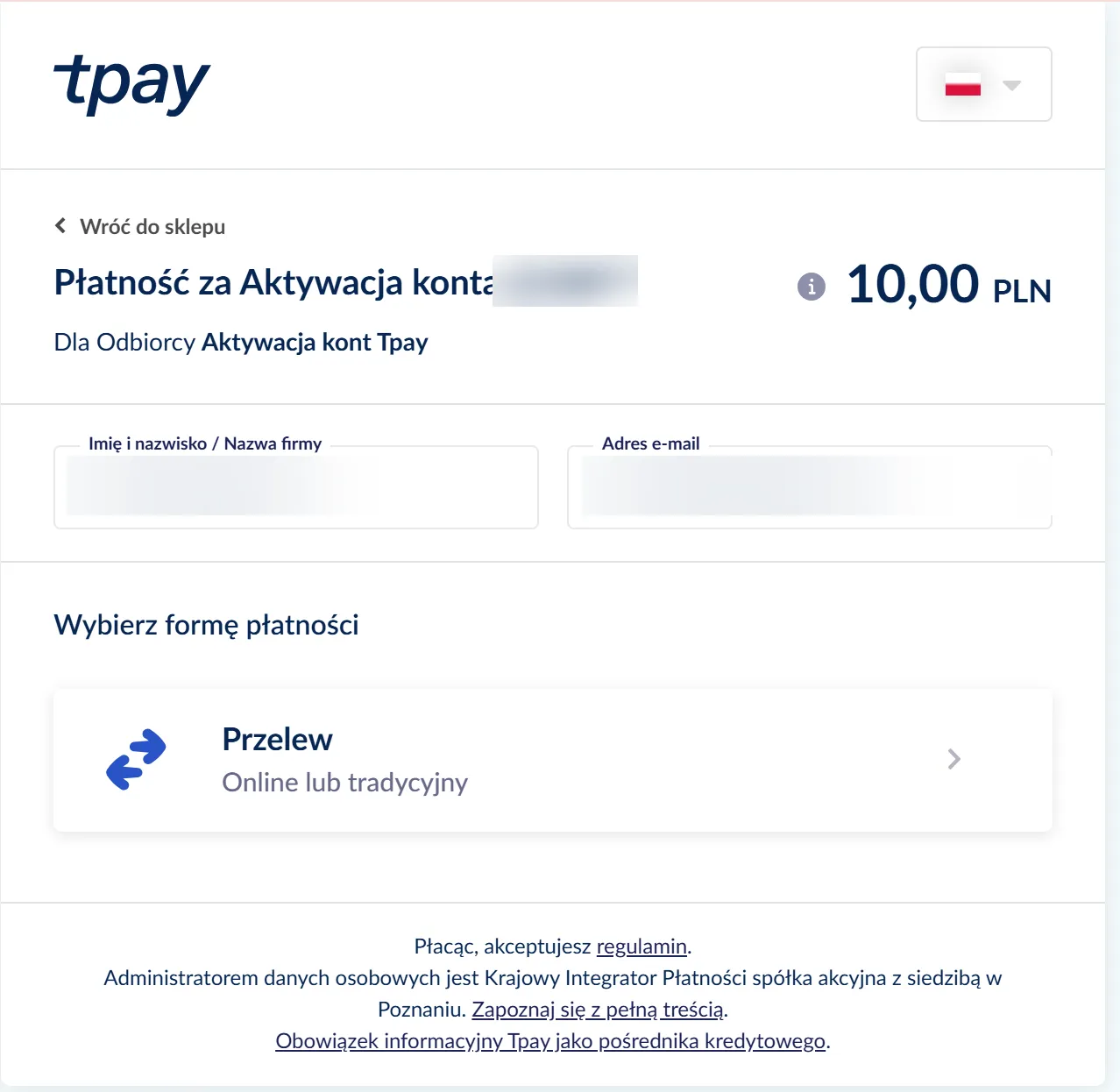
Tpay's activation fee is 10 PLN — the only cost of signing up. Opieko charges nothing to create an account. 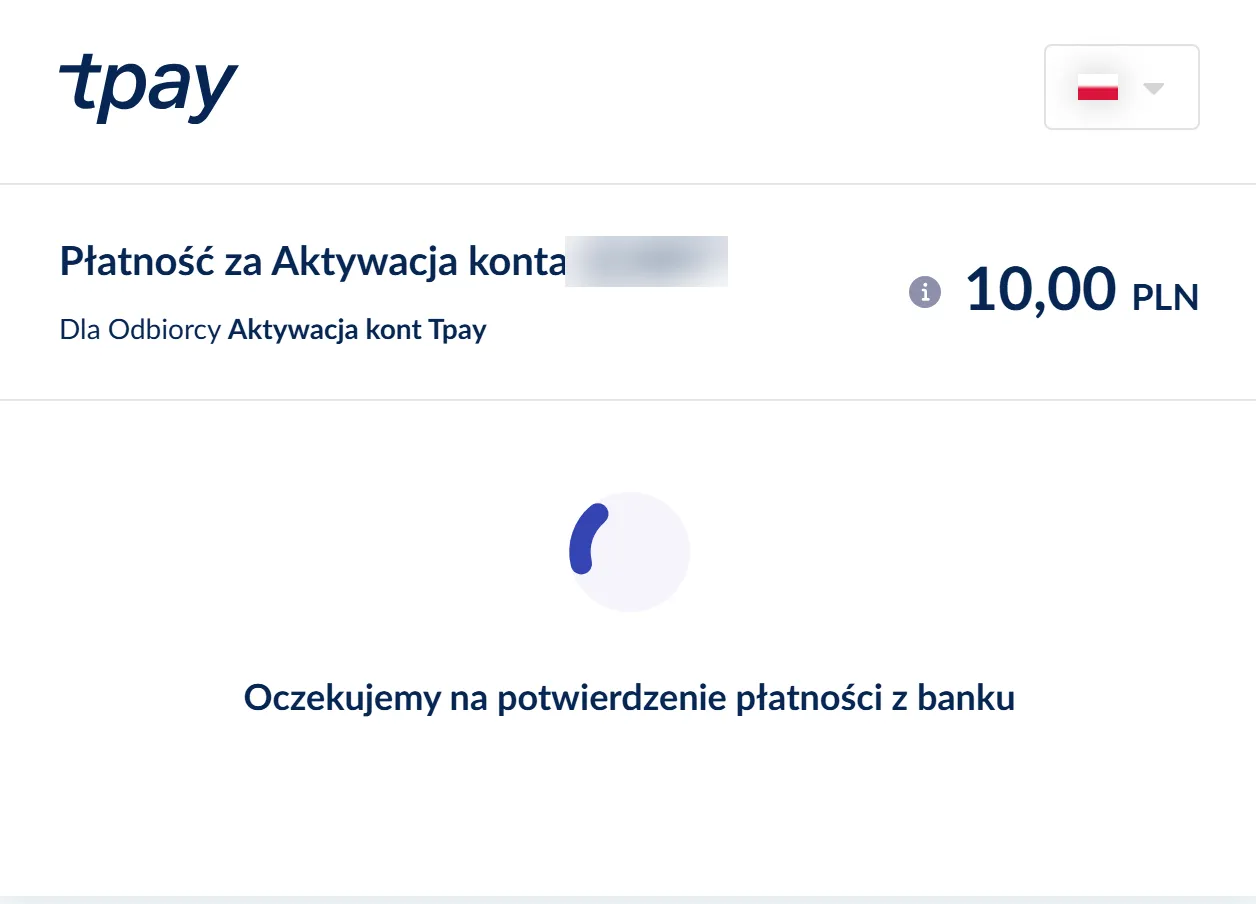
Bank confirmation can take a moment — keep the page open. 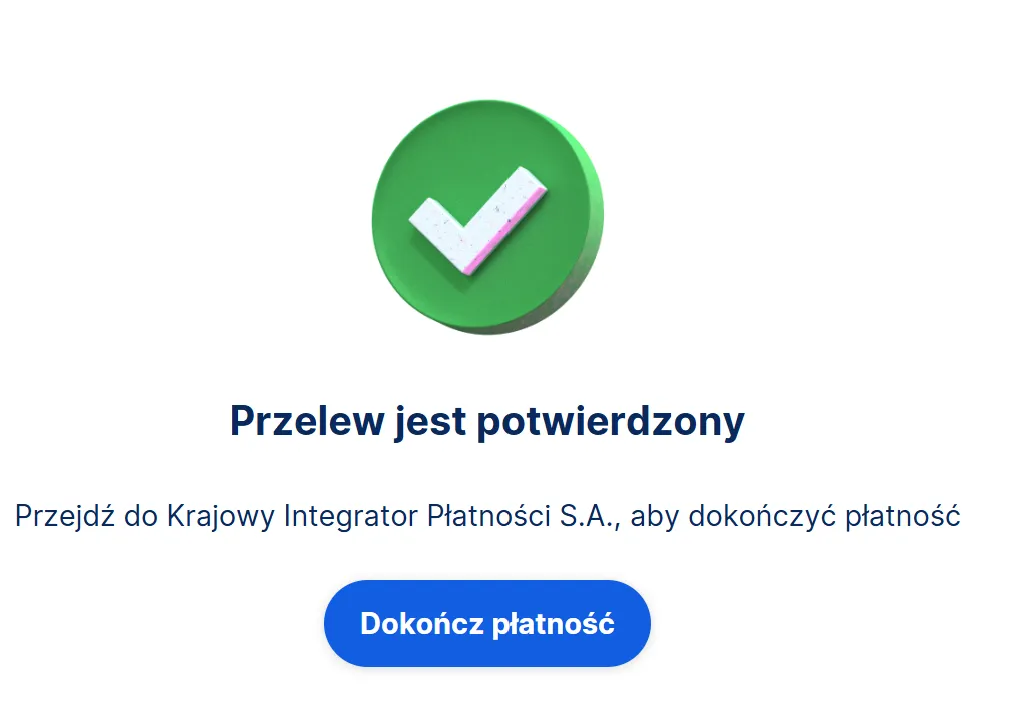
Transfer confirmed — Tpay takes over the verification and you head back to Opieko. -
Return to Opieko and wait for both gates
Your profile becomes fully active only once two independent gates clear: the Opieko admin review of your documents and qualifications, and Tpay identity verification (KYC). The app shows both separately and they can finish at different times. Once both come back positive your profile is visible to clients, and you can take bookings and get paid for them.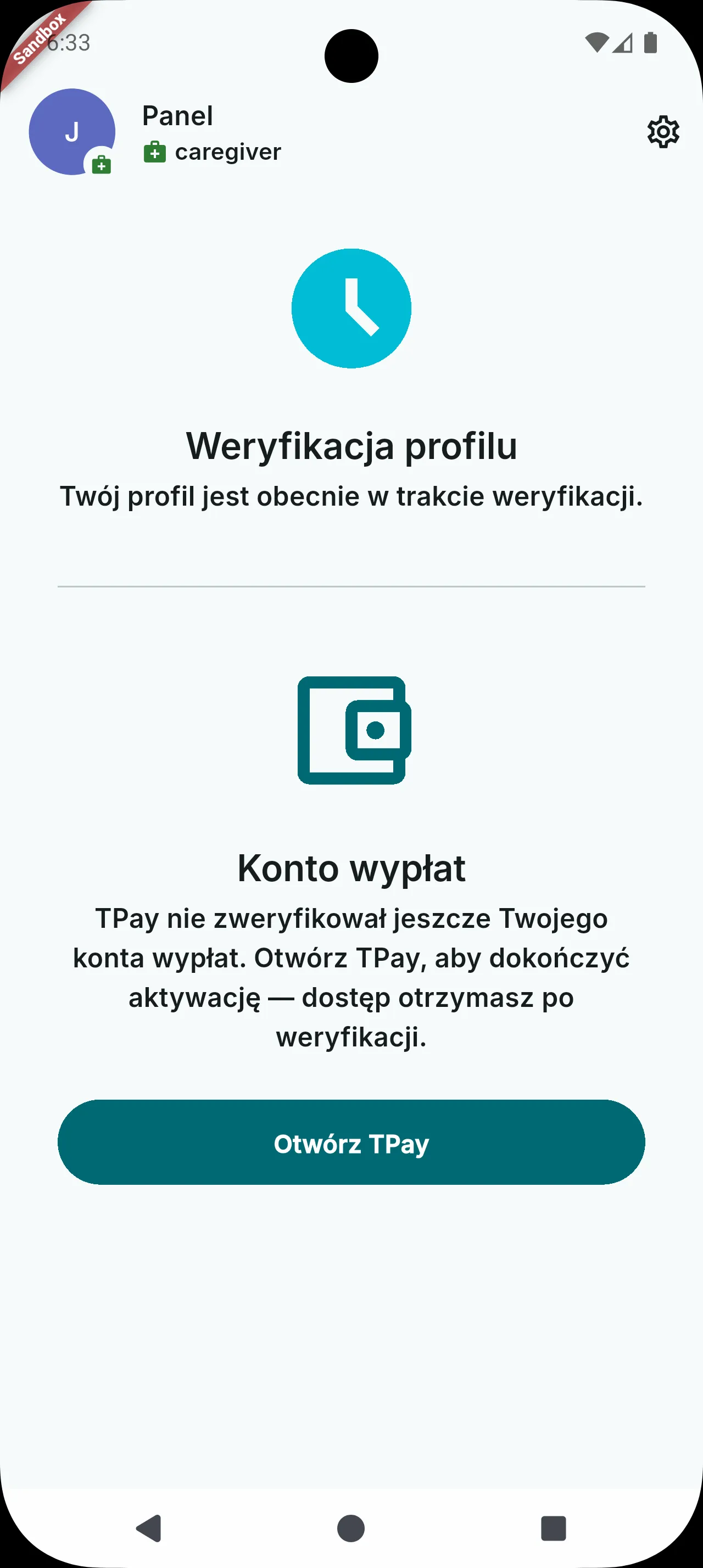
The two gates are independent — your account is not fully active until each one clears.
How much does registration cost? +
Creating an account and keeping your profile on Opieko are free. The only signup cost is the 10 PLN Tpay activation fee, charged once when your bank account is verified. Opieko's commission is added on top of the price the client pays, not deducted from your rate.
Can I do the whole registration on my phone? +
You can, but we recommend otherwise: the Opieko part and creating the Tpay account go smoothly on a phone, while the Tpay verification — the forms and document scans — is best finished on a computer. Save the password and the ID number Tpay assigns you before you switch to the big screen.
How long does verification take? +
Tpay starts verifying once your application is complete, the activation fee is booked and you have left it unchanged for an hour — every edit pushes the start back another hour. Identity verification on Tpay's side usually takes up to four days and stretches out when documents are missing — that is what Tpay's own panel states. The Opieko document review is independent and may finish at a different time.
I lost my Tpay password or ID number. What now? +
The Tpay account is yours, so access is recovered on Tpay's side — and your merchant ID is also in the registration confirmation email. Opieko has no access to your Tpay panel and cannot change its password.
Can I change my account type after verification starts? +
No — the choice locks as soon as you start Tpay identity verification (KYC). Choose carefully before you continue, and declare the same legal form in the Tpay panel as in Opieko.
Who reviews my documents? +
Opieko's admin team reviews your documents and qualifications, and Tpay alone runs identity verification (KYC). This is an administrative review, not licensing or insurance verification. Both must pass before your profile becomes visible to clients.
Can I fix my details after I pass verification? +
Editing your legal details or documents after you pass verification requires submitting a revision request — your profile then goes back through review before it's fully active again. Your bio, languages, rates, work areas and availability can be changed without any re-verification.